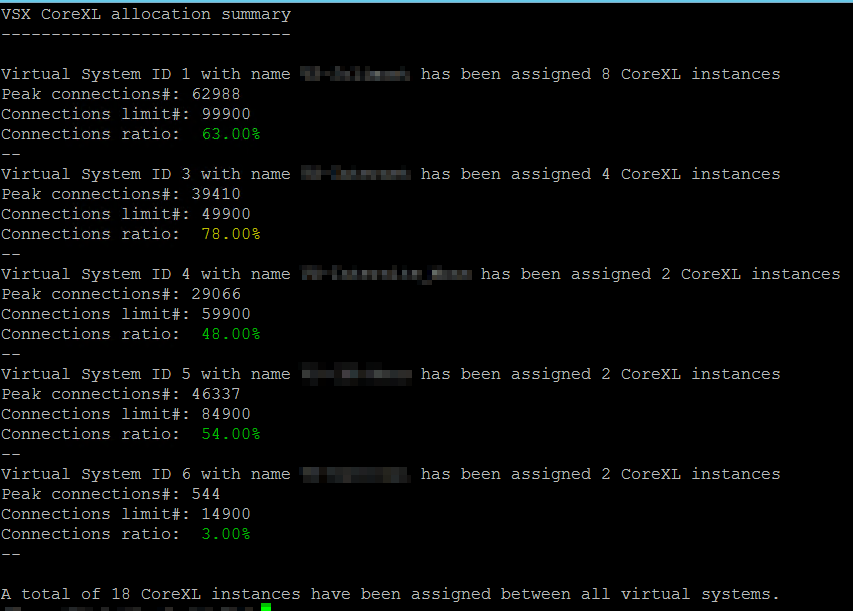
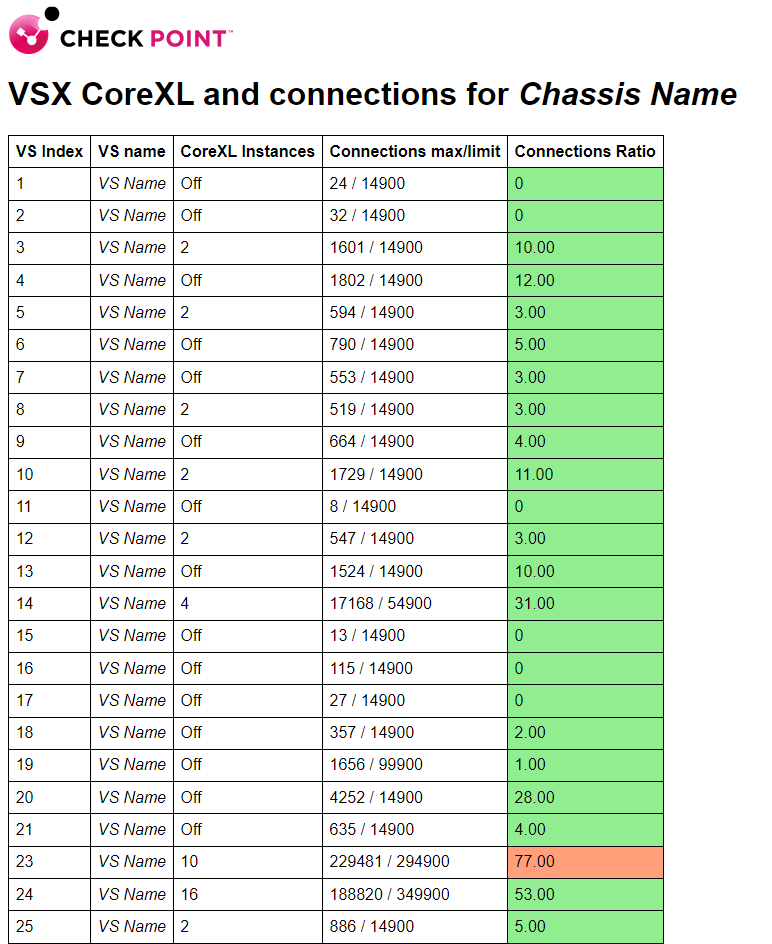
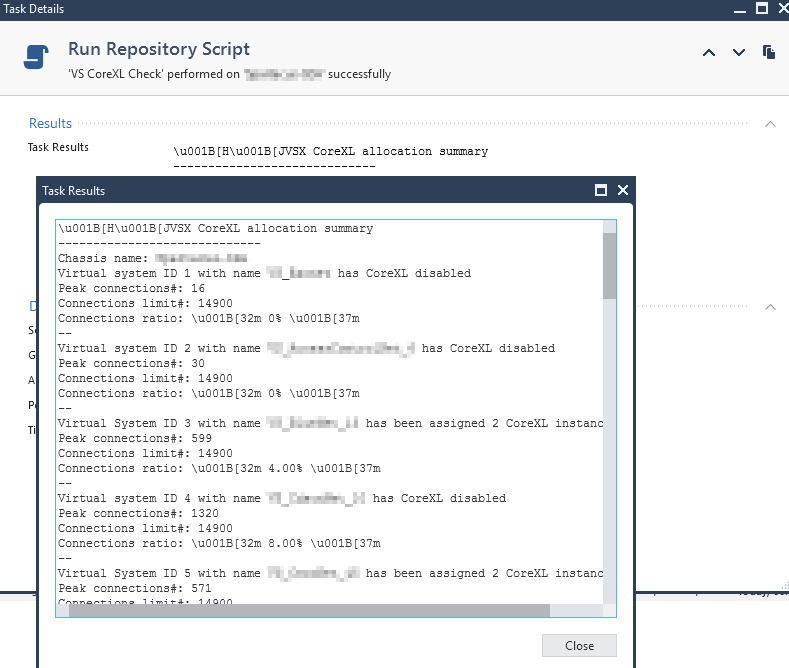
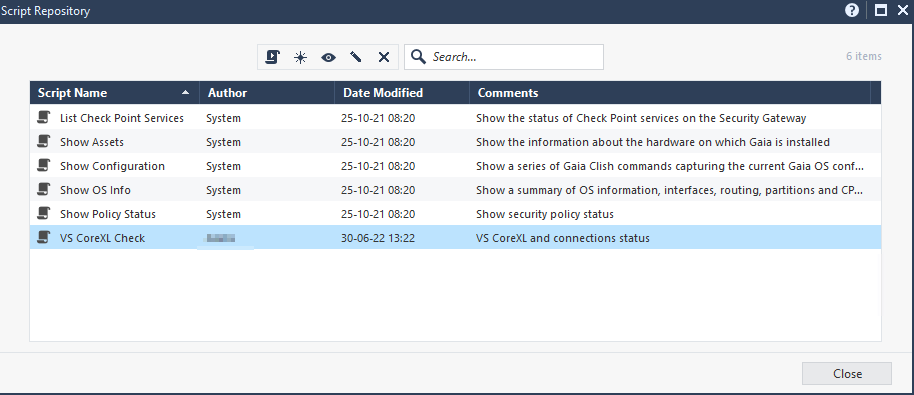
Here's a tool to quickly check the CoreXL allocation of all your VS.
Copy it on your VSX gateway and chmod+x, make sure to run it on the standby unit first to ensure it doesn't interfere with your systems.
It will take into account that you can have non-contiguous Virtual System ID.
#!/bin/bash

#Functions
function display_help () {
echo "Displays VS CoreXL allocations and connections ratios."
echo "Options:"
echo "  -h: Display this help"
echo "  -v: Display version"
echo "  -w: Save output in web version to /var/tmp/vs_corexl_check.html"
echo "  -s: Display output to terminal"
exit $2
}


#Initialize global empy argument variables
version=''
web=''
screen=''
echo $version
while getopts 'hwvs' flag
do
    case "${flag}" in
        v) version=1;;
        h) help=1;;
        w) web=1;;
        s) screen=1;;
    esac
done

if [[ "$version" -eq 1 ]];then
echo "Version 1.0"
exit 2
fi

if [[ "$help" -eq 1 ]];then
display_help
fi

#Import the vsenv shell to run vsenv commands
source /etc/profile.d/vsenv.sh

#Check if this is a VSX system, if not exit with error code 1.
vsenv 2&> /dev/null
if [[ ! "$? -eq 0" ]]; then
echo "This is not a VSX system, exiting. Run with the -h flag to get all options."
exit 1
fi

#System variable definitions
#---------------------------

t=0             #Assigned CoreXL instance counter
array_offset=1  #Since arrays begin with an index of 0 but VS count starts at 1
array_index=0   #Base array index is 0
chassis_name=`hostname`

#Screen version
if [[ "$screen" -eq 1 ]];then
#Initialize display and arrays
clear
echo "VSX CoreXL allocation summary"
echo "-----------------------------"
echo "Chassis name: $chassis_name"
printf "\n"

#Read the output of vsx stat -v and search for virtual systems
readarray -t vs_index < <(vsx stat -v | awk '{if ($3 == "S") print $1}')
readarray -t vs_name < <(vsx stat -v | awk '{if ($3 == "S") print $4}')
declare -p vs_list &>/dev/null
declare -p vs_name &>/dev/null

#Initialize for loop and match array index

for i in ${vs_index[@]}
do
evaluator=$(($array_index+1))


#Verifiy if there is not a gap in VS index

if [[ ! " $evaluator -eq  $array_index " ]]; then
array_index=$(($array_index + 2))
fi

#Display results

corecount=(`cpwd_admin list -ctx $i | grep _wd | awk {'print $11'}`)
conns_count=(`vsx stat -l $i | grep peak | awk '{print $3}'`)
conns_limit=(`vsx stat -l $i | grep limit | awk '{print $3}'`)
conns_ratio=(`echo "scale=2; ($conns_count / $conns_limit) * 100" | bc`)
if (( $(bc <<< "$conns_ratio<=75") )); then conn_color=2; elif
 (( $(bc <<< "$conns_ratio>75 && $conns_ratio<=85") )); then conn_color=3; else
 conn_color=1; fi
if [ "$corecount" -eq 1 ]; then
echo "Virtual system ID $i with name ${vs_name[$array_index]} has CoreXL disabled"
else
echo "Virtual System ID $i with name ${vs_name[$array_index]} has been assigned $corecount CoreXL instances"
fi
echo "Peak connections#: $conns_count"
echo "Connections limit#: $conns_limit"
echo "Connections ratio: $(tput setaf $conn_color) $conns_ratio% $(tput setaf 7)"
echo "--"
array_index=$(($array_index+$array_offset))
t=$(($t + $corecount))
done
printf "\n"
echo "A total of $t CoreXL instances have been assigned between all virtual systems."
exit 0
fi

#Web version
if [[ "$web" -eq 1 ]];then
#Initialize display and arrays
clear
echo "<html><header><title>vs_corexl_check</title><style>table, th, td {border: 1px solid black;border-collapse: collapse;padding: 5pt;align-items: center;} body {font-family: sans-serif;background-color: white;}</style></header><body>" > /var/tmp/vs_corexl_check.html
echo "<body>" >> /var/tmp/vs_corexl_check.html
echo "<img src=\"https://sc1.checkpoint.com/www/images/layout/duke/check-point-logo.png\"> <h1>VSX CoreXL and connections for $chassis_name</h1>" >> /var/tmp/vs_corexl_check.html
echo "<table>" >> /var/tmp/vs_corexl_check.html
echo "<tr><th>VS Index</th><th>VS name</th><th>CoreXL Instances</th><th>Connections max/limit</th><th>Connections Ratio</th></tr>" >> /var/tmp/vs_corexl_check.html

#Read the output of vsx stat -v and search for virtual systems
readarray -t vs_index < <(vsx stat -v | awk '{if ($3 == "S") print $1}')
readarray -t vs_name < <(vsx stat -v | awk '{if ($3 == "S") print $4}')
declare -p vs_list &>/dev/null
declare -p vs_name &>/dev/null

#Initialize for loop and match array index

for i in ${vs_index[@]}
do
evaluator=$(($array_index+1))


#Verifiy if there is not a gap in VS index

if [[ ! " $evaluator -eq  $array_index " ]]; then
array_index=$(($array_index + 2))
fi

#Display results
clear;
echo "Processing VS $i of ${vs_index[-1]}"
echo "<tr>" >> /var/tmp/vs_corexl_check.html
corecount=(`cpwd_admin list -ctx $i | grep _wd | awk {'print $11'}`)
conns_count=(`vsx stat -l $i | grep peak | awk '{print $3}'`)
conns_limit=(`vsx stat -l $i | grep limit | awk '{print $3}'`)
conns_ratio=(`echo "scale=2; ($conns_count / $conns_limit) * 100" | bc`)
if (( $(bc <<< "$conns_ratio<=75") )); then conn_color="lightgreen"; elif
 (( $(bc <<< "$conns_ratio>75 && $conns_ratio<=85") )); then conn_color="lightsalmon"; else
 conn_color="lightcoral"; fi
if [ "$corecount" -eq 1 ]; then
echo "<td>$i</td><td>${vs_name[$array_index]}</td><td>Off</td><td>$conns_count / $conns_limit</td><td style=\"background-color:$conn_color;\">$conns_ratio</td>" >> /var/tmp/vs_corexl_check.html
else
echo "<td>$i</td><td>${vs_name[$array_index]}</td><td>$corecount</td><td>$conns_count / $conns_limit</td><td style=\"background-color:$conn_color;\">$conns_ratio</td>" >> /var/tmp/vs_corexl_check.html
fi
array_index=$(($array_index+$array_offset))
t=$(($t + $corecount))
echo "</tr>" >> /var/tmp/vs_corexl_check.html
done
echo "<tr><td colspan=\"5\">A total of $t CoreXL instances has been assigned.</td></tr>" >> /var/tmp/vs_corexl_check.html
echo "</table>" >> /var/tmp/vs_corexl_check.html
echo "</body></html>" >> /var/tmp/vs_corexl_check.html
echo "Iteration done. Output can be found in /var/tmp/vs_corexl_check.html"
exit 0
fi

#By default, display help if no option was chosen
display_help