- Products
- Learn
- Local User Groups
- Partners
- More

MVP 2026: Submissions
Are Now Open!
What's New in R82.10?
10 December @ 5pm CET / 11am ET
Announcing Quantum R82.10!
Learn MoreOverlap in Security Validation
Help us to understand your needs better
CheckMates Go:
Maestro Madness
Hi community,
I have the need to monitor that my IPS systems have the latest signature installed,
but I have no clue how to handle this.
I can easily read out the status with IPS STAT.
[Expert@firewall]# ips stat
IPS Status: Enabled
IPS Update Version: 635184714
I bet there is an SNMP mib, too.
But where do I get the actual version number from that is available from Check Point?
Is there some kind of web service?
Thanks in advance
Regards
Sven
Pretty sure that number IS the correct version number.
See below:

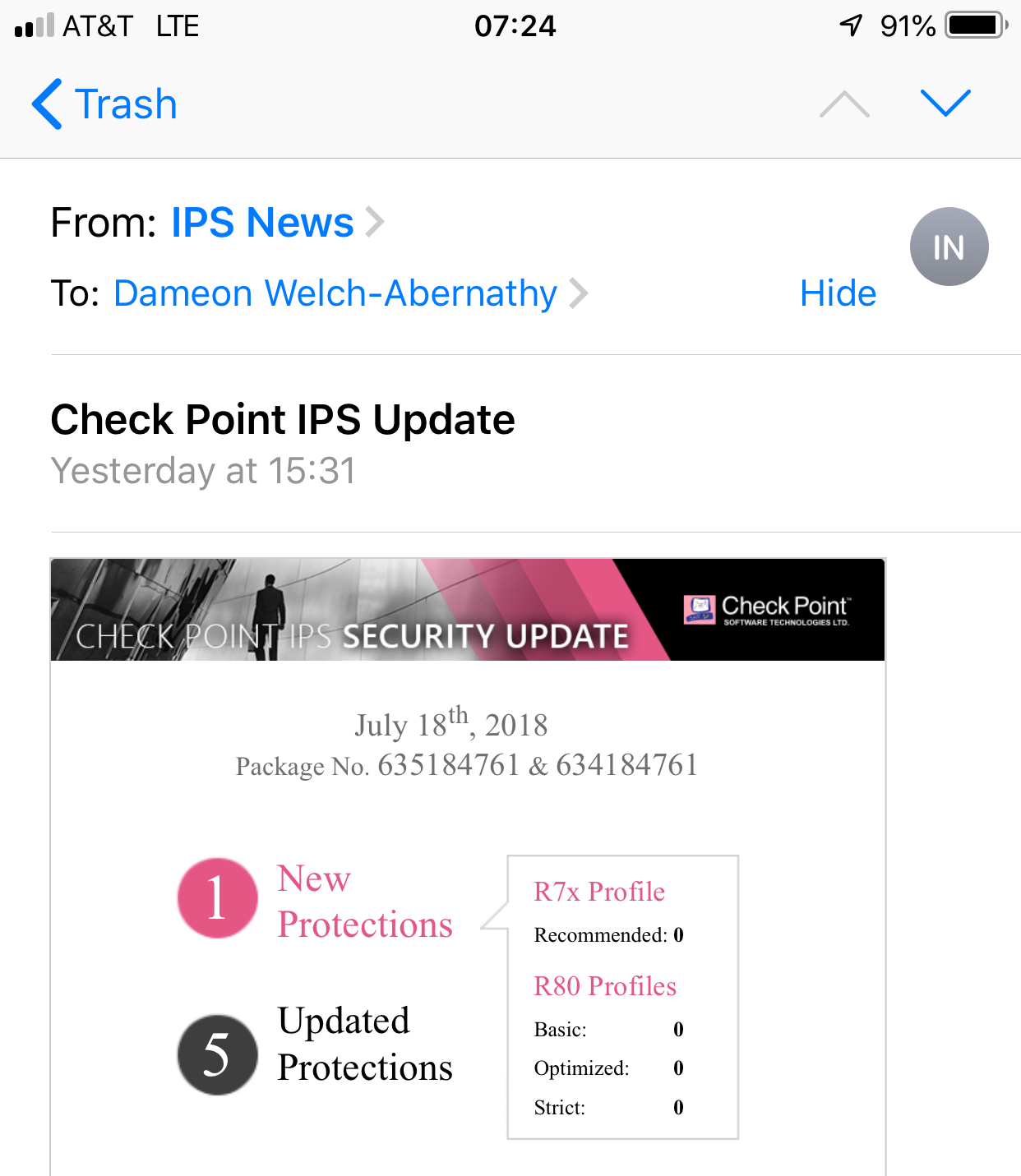
You are right,I get this mail, too.
But this is not optimal for an automat that should control it automatically on hourly basis.
Best would be a webAPI or something like this on a Check Point updater server.
Hi,
I did not find a snmp response matching the actual installed version number. CheckPoint MIBs did not mention that too... Check Point SNMP MIB files - at least I didn´t find any, that sounds promising.
via api command "show ips-status" you get some information.
[Expert@somehostname:0]# mgmt_cli show ips-status --format json
{
"last-updated" : {
"posix" : 1532076480000,
"iso-8601" : "2018-07-20T10:48+0200"
},
"installed-version" : "635184761",
"installed-version-creation-time" : {
"posix" : 1531900800000,
"iso-8601" : "2018-07-18T10:00+0200"
},
"update-available" : false,
"latest-version" : "635184761",
"latest-version-creation-time" : {
"posix" : 1531900800000,
"iso-8601" : "2018-07-18T10:00+0200"
}
}
Assuming the management is able to download updates on its own, you´d see it on update available.
Or you can compare "latest-version" with "installed version".
Depending on your monitoring solution you can implement some kind of a script there, that compares the outputs - i.e. with the actual time - and notify, if no update has been done for x days, or a update is pending.
Hope that helps
Regards,
Daniel
Sven,
best way to do this in an automation way is, as Daniel said, the API command.
https://sc1.checkpoint.com/documents/latest/APIs/index.html#gui-cli/show-ips-status~v1.2%20
If you prefer the GUI-way-to-do:
update your Management to R80.20.M1
.png)
This is a good workaorund! Thanks for this idea.
Hopefully one day I can use the API for checking the actual state of the gateway, too.
All the relevant informations are already insinde the management.
I think it is in generall a good idea to bring more value to snmp mibs in terms of IPS.
Some regulations like PCIDSS has the need to monitor the IPS state (active or not active) and it's signature up-to-dateness.
The GUI-way-to-do is not working, because operation guys want to have a green light or a red one only. ![]()
BTW: Andre Scheper The GUI-way-to-do is already working with R80.10 but not with VSX. Is this already fixed with R80.2.M1?
Gateway API is not available as of today.
but there is a helpful API command:
https://sc1.checkpoint.com/documents/latest/APIs/index.html#gui-cli/run-script~v1.2%20
use "ips stat | grep Version" as the parameter and compare it to the management info (latest-version)
I will check the VSX question and contact you next week directly
You are right. This is what I called a good workaround ![]()
Thanks for investigation, Andre!
Sven,
Check out my post about getting the IPS version on a MDS https://community.checkpoint.com/thread/8331-ips-update-check-per-domain-r7730
I also use the exact same script on R80.10 and it works great.
Leaderboard
Epsum factorial non deposit quid pro quo hic escorol.
| User | Count |
|---|---|
| 22 | |
| 15 | |
| 11 | |
| 7 | |
| 6 | |
| 5 | |
| 4 | |
| 4 | |
| 4 | |
| 4 |
Fri 12 Dec 2025 @ 10:00 AM (CET)
Check Mates Live Netherlands: #41 AI & Multi Context ProtocolTue 16 Dec 2025 @ 05:00 PM (CET)
Under the Hood: CloudGuard Network Security for Oracle Cloud - Config and Autoscaling!Fri 12 Dec 2025 @ 10:00 AM (CET)
Check Mates Live Netherlands: #41 AI & Multi Context ProtocolTue 16 Dec 2025 @ 05:00 PM (CET)
Under the Hood: CloudGuard Network Security for Oracle Cloud - Config and Autoscaling!Thu 18 Dec 2025 @ 10:00 AM (CET)
Cloud Architect Series - Building a Hybrid Mesh Security Strategy across cloudsAbout CheckMates
Learn Check Point
Advanced Learning
YOU DESERVE THE BEST SECURITY