

- Products
- Learn
- Local User Groups
- Partners
- More

Scaling Check Point Automation with Arodonata
7 October @ 5pm CET / 11am EDT
AI Security Masters
LGTM: Bypassing an LLM Build Gate
When Prompt Injection Fails
What's New in Check Point SASE
The State of Ransomware Q2 2026:
This Quarter's Trends, and Their Impact on Your Defenses
CheckMates Go:
Half is Not Enough
The CheckMates community site sends out periodic emails with recent content that may interest you, or when certain events occur (e.g. someone follows you, invites you to a group, etc).
To disable these emails, perform the following steps when you are logged into the CheckMates community.
First, navigate to your avatar in the menu bar on the top right and select Personal > Preferences as shown here:

Then for the option "Receive email or mobile notifications when there is activity in the community?" select the No option.

If instead you wish to adjust the frequency and types of the emails you do receive, leave the above option as Yes and adjust the preferences below to your liking:
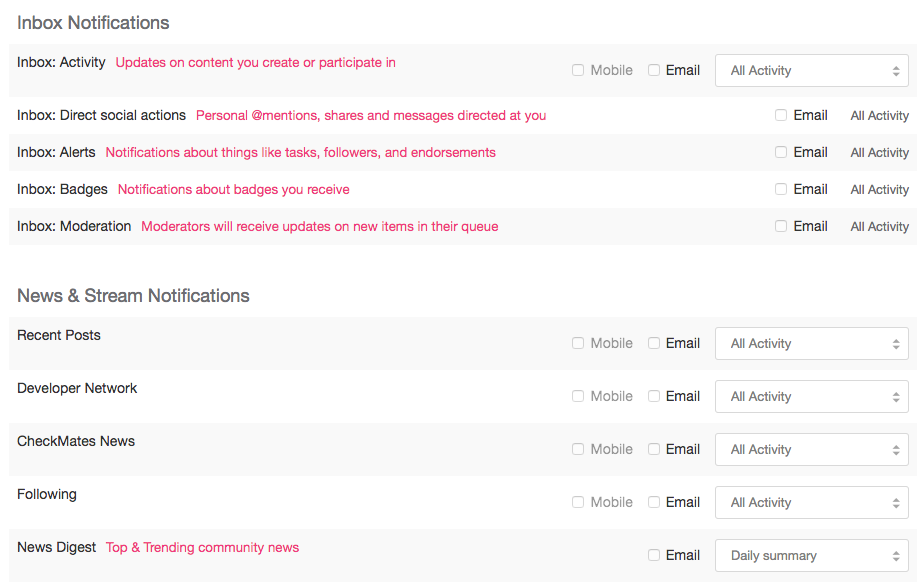
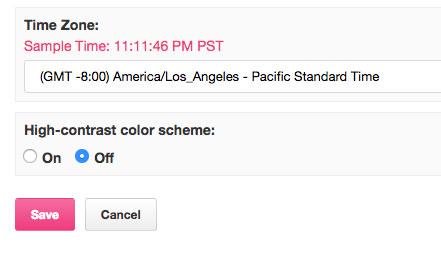
Scroll down to the bottom of the page and click Save.
If after doing this, you are still receiving emails, please contact us: [email protected].
About CheckMates
Learn Check Point
Advanced Learning

YOU DESERVE THE BEST SECURITY


