- Products
- Learn
- Local User Groups
- Partners
- More

MVP 2026: Submissions
Are Now Open!
What's New in R82.10?
Watch NowOverlap in Security Validation
Help us to understand your needs better
CheckMates Go:
Maestro Madness
Hi all,
We are using Cloud SMS to manage an SBM 1570 device.
I am trying to set up SSLVPN on 1570 with only local accounts + [User name and password] authentication.
We also need Application and URL filtering for this SSLVPN user, so legacy user setup is not allowed.
IT seems lots of old Video / KB are no use for this case.
Can anyone help, please?
Thanks.
SecuRemote does not support Office Mode, which probably means Identity Awareness won't work properly.
Reinstall as Check Point Mobile and try again.
Note the 1570 has a license that will support this for a certain number of users, don't recall how many offhand.
Whilst your requirements aren't super clear please note there are currently some Identity Awareness limitations for Spark devices managed by Smart-1 Cloud.
Please refer:
When you say SSLVPN what precisely are you expecting?
If you’re expecting Mobile Access Blade functionality (ie with a web browser), the SMB appliances do not support it, centrally managed or otherwise.
If you expect to use the SNX client for this user, you’ll probably need to install that client separately.
Otherwise, use Check Point Mobile.
The more details you can provide about what exactly you’re trying to achieve, the more likely we’ll be able to help.
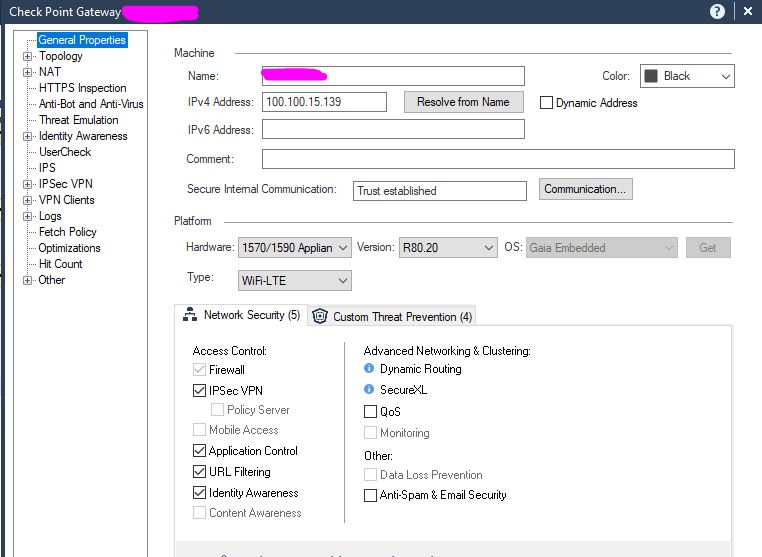
There are what blades installed on the Checkpoint 1570.
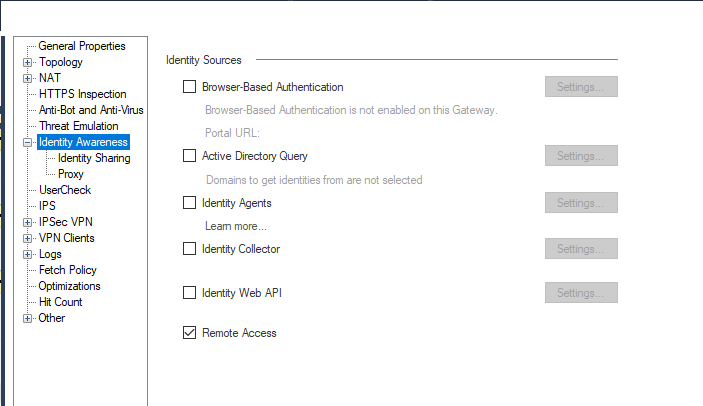
I want to use the CheckPoint 1570 local user account for SSLVPN. So I check this box, not sure if this is right set.
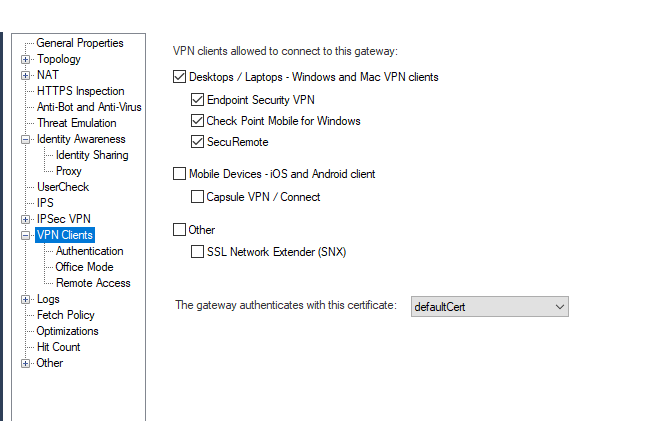
Also move to VPN client and allow Basic SecureRemote.
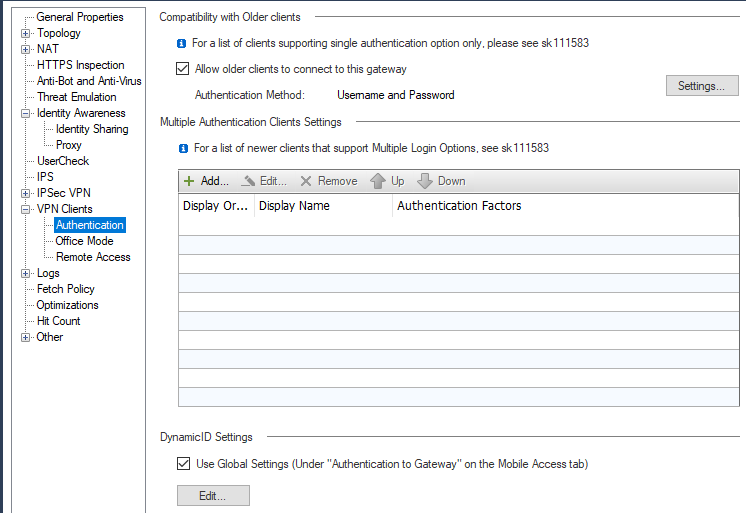
For the VPN authentication, I select username and password.
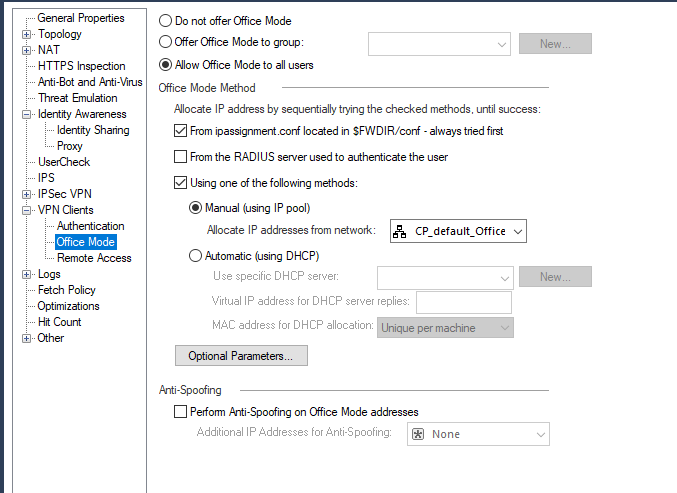
Allow office mode to all users.
Create a local user and assign it to my AccessRole
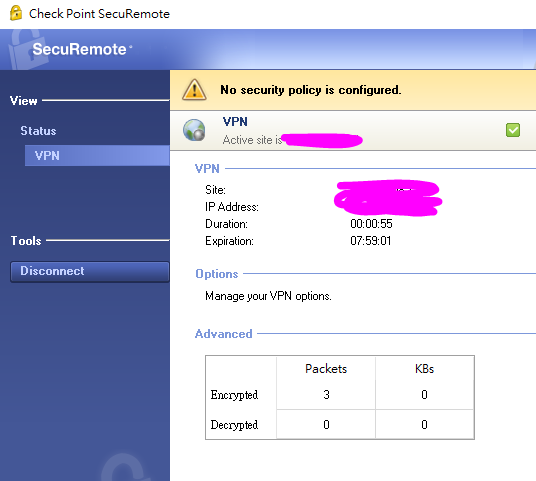
Install the agent on the remote PC, select Secure remote.
Connected to the site, but seems the 1570 can not recognize the user.
SecuRemote does not support Office Mode, which probably means Identity Awareness won't work properly.
Reinstall as Check Point Mobile and try again.
Note the 1570 has a license that will support this for a certain number of users, don't recall how many offhand.
Reinstall as Check Point Mobile and try again <<< You are the right man giving the right answer.
Leaderboard
Epsum factorial non deposit quid pro quo hic escorol.
| User | Count |
|---|---|
| 5 | |
| 2 | |
| 2 | |
| 2 | |
| 1 | |
| 1 | |
| 1 |
Fri 12 Dec 2025 @ 10:00 AM (CET)
Check Mates Live Netherlands: #41 AI & Multi Context ProtocolTue 16 Dec 2025 @ 05:00 PM (CET)
Under the Hood: CloudGuard Network Security for Oracle Cloud - Config and Autoscaling!Fri 12 Dec 2025 @ 10:00 AM (CET)
Check Mates Live Netherlands: #41 AI & Multi Context ProtocolTue 16 Dec 2025 @ 05:00 PM (CET)
Under the Hood: CloudGuard Network Security for Oracle Cloud - Config and Autoscaling!Thu 18 Dec 2025 @ 10:00 AM (CET)
Cloud Architect Series - Building a Hybrid Mesh Security Strategy across cloudsAbout CheckMates
Learn Check Point
Advanced Learning
YOU DESERVE THE BEST SECURITY