- Products
- Learn
- Local User Groups
- Partners
- More

MVP 2026: Submissions
Are Now Open!
What's New in R82.10?
Watch NowOverlap in Security Validation
Help us to understand your needs better
CheckMates Go:
Maestro Madness
This is a minor annoyance, but occasionally I find myself in a situation where SmartConsole version installed on my laptop is different from required version in the clients environments.
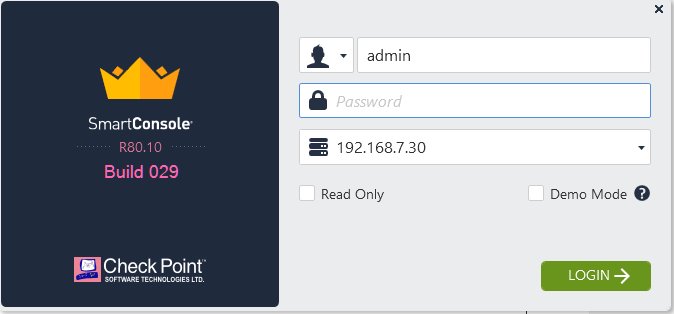
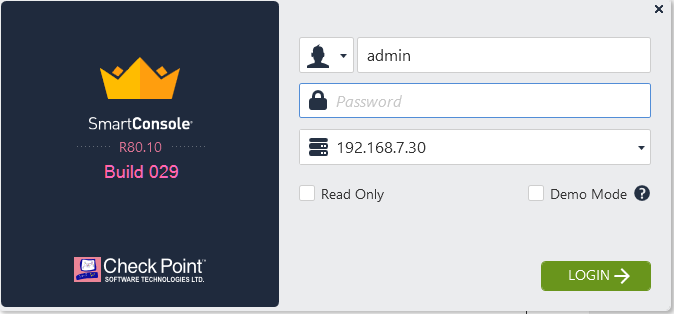
Would it be a huge deal for CP to add SmartConsole build number to the startup screen?
So it will look something like this:

Hi Vladimir,
This is not probably what you're looking for, but you can see the build info in the file "BuildInfo" inside the "C:\Program Files (x86)\CheckPoint\SmartConsole\R80.10\PROGRAM" folder (by default).
I agree that a version/build number in the startup screen would help ![]()
A lot of things could be deduced by digging through the folder structures, decompilation of the code, years of observation, meditation on the subjects, etc..
But sometimes I find it easier to just see things right away ![]()
Hi,
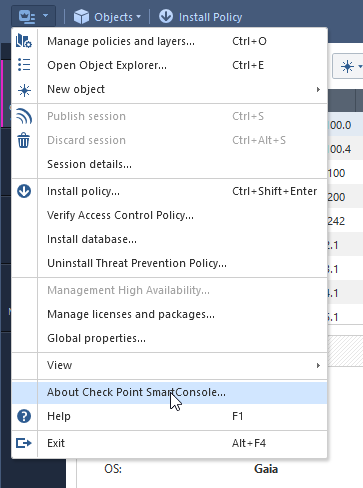
We used to do it in our EA versions, but then we moved it to the Help-->About to reduce the clutter.
And we're here to save you from decompiling the code to get your answers


Hmm... the build # you are showing is somewhat different from "Build 029" as it is presented in the download section of the sk or in the CPUSE packages.
There is probably an sk referring to the script that will translate one into the other (991140024 to the Build 029) but I suspect that this is somewhat easier:

![]()
There’s a mapping between the obscure number at help—> about and the build number that is displayed at the CPUSE or the SK page. At some point we will probably switch to that other system. In the meantime if you have to get the identification then Check Point Support can help you with that.
I also find the build issue referred to by Vladimir annoying...
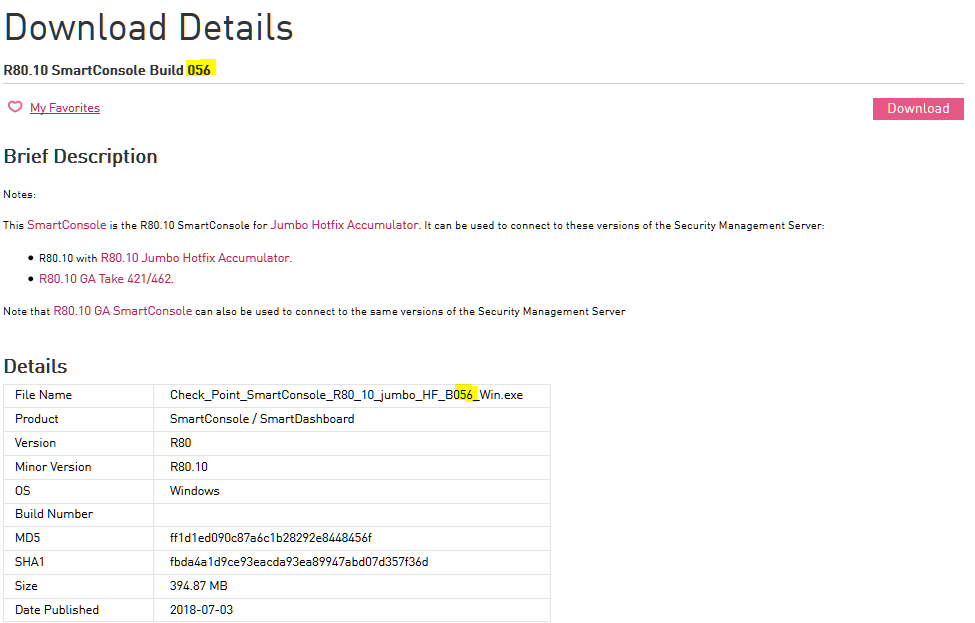
Nowere I can find tell me what build (SmartConsole - General Availability Build 0??) is the equalent to 991140005 in "About Check Point SmartConsole..."
I search for "Built 991140005" I am pointed to the releasenotes. But there is no referance to 991140005.
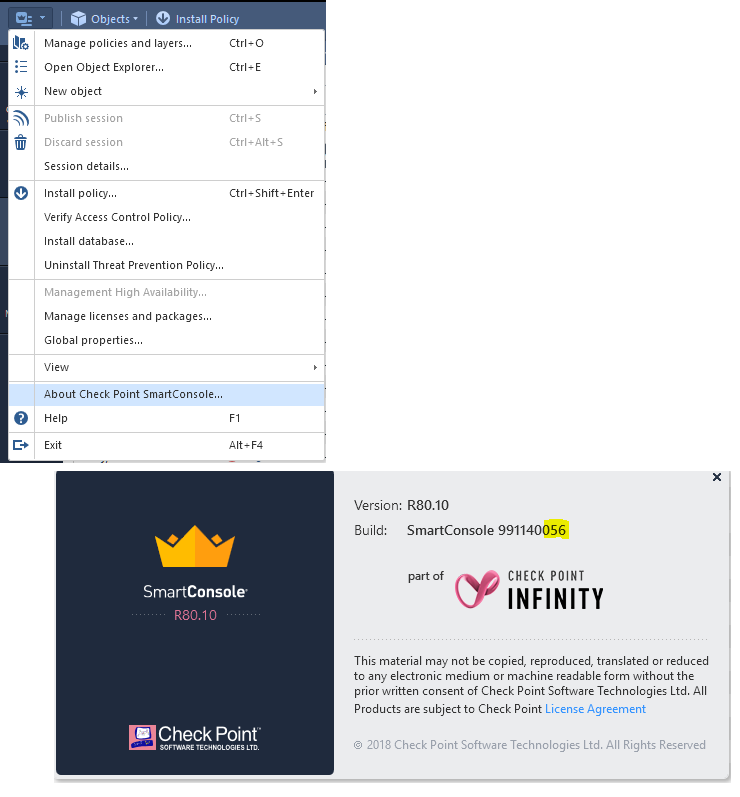
Just curious is the last 3 digits in "About" the Build?
SmartConsole 991140056 = SmartConsole Build 056

Install Filename...

Leaderboard
Epsum factorial non deposit quid pro quo hic escorol.
| User | Count |
|---|---|
| 16 | |
| 15 | |
| 7 | |
| 5 | |
| 5 | |
| 5 | |
| 4 | |
| 4 | |
| 4 | |
| 4 |
Tue 16 Dec 2025 @ 05:00 PM (CET)
Under the Hood: CloudGuard Network Security for Oracle Cloud - Config and Autoscaling!Thu 18 Dec 2025 @ 10:00 AM (CET)
Cloud Architect Series - Building a Hybrid Mesh Security Strategy across cloudsTue 16 Dec 2025 @ 05:00 PM (CET)
Under the Hood: CloudGuard Network Security for Oracle Cloud - Config and Autoscaling!Thu 18 Dec 2025 @ 10:00 AM (CET)
Cloud Architect Series - Building a Hybrid Mesh Security Strategy across cloudsAbout CheckMates
Learn Check Point
Advanced Learning
YOU DESERVE THE BEST SECURITY