- Products
- Learn
- Local User Groups
- Partners
- More

Step Into the Future of
AI-Powered Cyber Security
The State of Ransomware Q1 2026
Key Trends and Their Impact
AI Security Masters E8:
Claude Mythos: New Era in Cyber Security
Blueprint Architecture for Securing
The AI Factory & AI Data Center
Call For Papers
Your Expertise. Our Stage
CheckMates Go:
CheckMates Fest
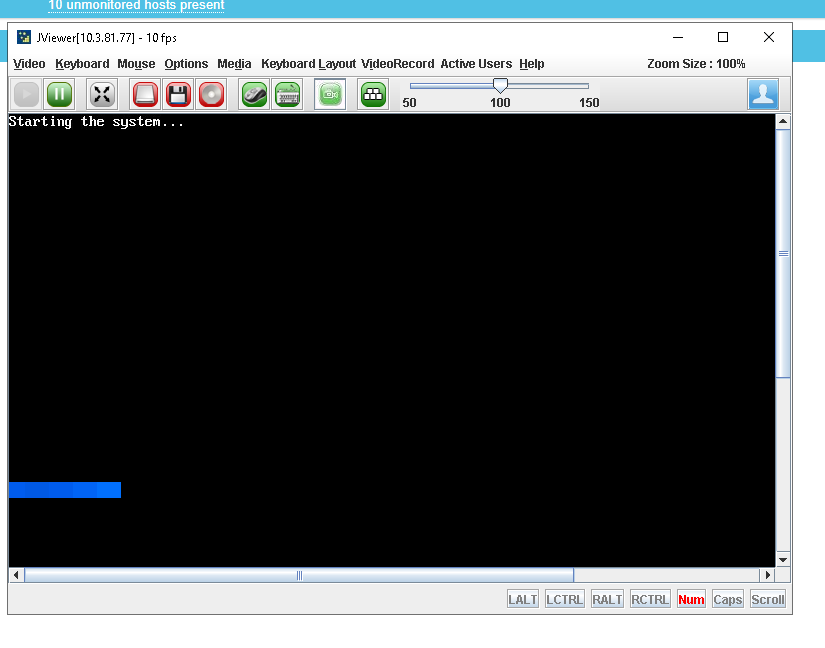
I have lost my notes.. does anyone remember how to disable the progress bar when booting from LOM and seeing actual boot sequence log? Played with couple of GRUB parameters but still no joy
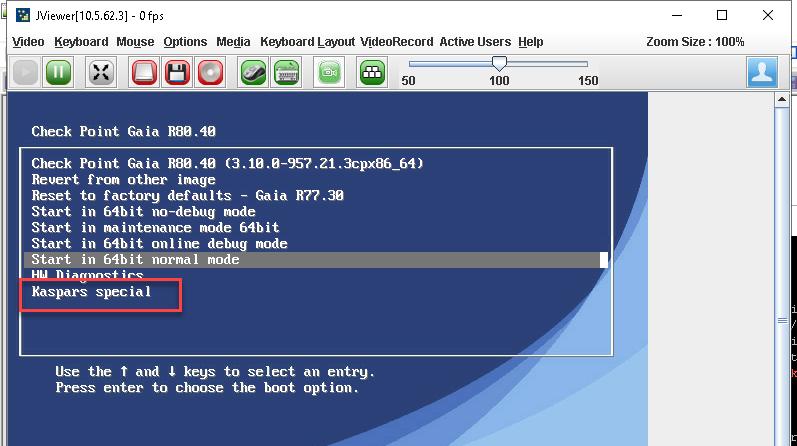
I was about to write it here haha Thanks! I did my own entry in grub boot list (/boot/grub/grub.conf)
title Kaspars special
root (hd0,0)
kernel /vmlinuz-x86_64 ro root=/dev/vg_splat/lv_current grub_mode=64bit-normal vmalloc=256M panic=15 console=tty1 console=CURRENT kgdboc=kbd,ttyS0 crashkernel=0M-35G:280M,35G-250G:768M,250G-:1G intel_idle.max_cstate=0 eagerfpu=on spectre_v2=off nopti 3 quiet
initrd /initrd-x86_64
I‘m not sure, but normal Linux console switch should work Ctrl+Alt+Fn to change the displayed screen.
Thanks! Tried but didn't work 😞 will keep digging as I need to get boot sequence log from a remote node 😞
@Kaspars_Zibarts something to play this morning.... 8)
change "console=serial" to "console=CURRENT" in the needed line in /boot/grub/grub.conf
To get more messages remove the "quiet"
hope this helps
I was about to write it here haha Thanks! I did my own entry in grub boot list (/boot/grub/grub.conf)
title Kaspars special
root (hd0,0)
kernel /vmlinuz-x86_64 ro root=/dev/vg_splat/lv_current grub_mode=64bit-normal vmalloc=256M panic=15 console=tty1 console=CURRENT kgdboc=kbd,ttyS0 crashkernel=0M-35G:280M,35G-250G:768M,250G-:1G intel_idle.max_cstate=0 eagerfpu=on spectre_v2=off nopti 3 quiet
initrd /initrd-x86_64
BTW - interesting part with changing only "console=serial" to "console=CURRENT" was that I lost connectivity on regular serial port after boot.
So I think the options given in "debug on" mode are quite good to have both serial and terminal with keyboard
console=tty1 console=CURRENT kgdboc=kbd,ttyS0
Yes, that's correct with "console=CURRENT" only you'll loose both the RJ45 serial console and the USB serial console.
Thanks @Wolfgang really appreciated!
Next challenge with the LOM Java terminal is to copy text output.. 🙂 can record video of course but having plain text would be nice. Funny challenges when GW is too far away and all you have is LOM
@Wolfgang I was that close to squash the comment as a spam 🙂
Leaderboard
Epsum factorial non deposit quid pro quo hic escorol.
| User | Count |
|---|---|
| 24 | |
| 15 | |
| 10 | |
| 8 | |
| 8 | |
| 6 | |
| 5 | |
| 4 | |
| 4 | |
| 4 |
Tue 19 May 2026 @ 06:00 PM (IDT)
AI Security Masters E8 - Claude Mythos: New Era in Cyber SecurityWed 20 May 2026 @ 11:00 AM (CEST)
The New DDoS Reality: Autonomy, Scale, and the Future of DefenceFri 29 May 2026 @ 09:00 AM (EDT)
Caracas: Executive Breakfast: Innovación en Ciberseguridad – IA y Threat IntelligenceTue 19 May 2026 @ 06:00 PM (IDT)
AI Security Masters E8 - Claude Mythos: New Era in Cyber SecurityWed 20 May 2026 @ 11:00 AM (CEST)
The New DDoS Reality: Autonomy, Scale, and the Future of DefenceTue 02 Jun 2026 @ 06:00 PM (IDT)
Under the Hood | Check Point SASE: Identity Integration & Access Policy Design Best PracticesFri 29 May 2026 @ 09:00 AM (EDT)
Caracas: Executive Breakfast: Innovación en Ciberseguridad – IA y Threat IntelligenceAbout CheckMates
Learn Check Point
Advanced Learning
YOU DESERVE THE BEST SECURITY