- Products
- Learn
- Local User Groups
- Partners
- More

Step Into the Future of
AI-Powered Cyber Security
The State of Ransomware Q1 2026
Key Trends and Their Impact
AI Security Masters E8:
Claude Mythos: New Era in Cyber Security
Blueprint Architecture for Securing
The AI Factory & AI Data Center
Call For Papers
Your Expertise. Our Stage
CheckMates Go:
CheckMates Fest
Hi All,
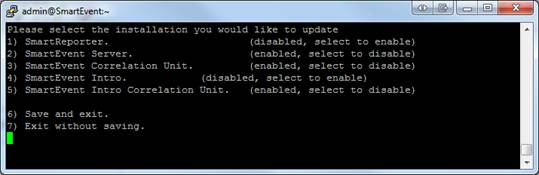
We installed SmartEvent r80 (Selected Log Server/SmartEvent) in a dedicated VM with 4 cores and 16gb RAM.
First of all, is there an official guide to install SmartEvent r80? We used the guide for early access but I don't know if it still applies.
Now with the problem:
After the installation, we created the object, enabled SmartEvents blades and initiated the SIC authentication between the management and the smartevent with success.
However when we access SmartEvent with the GUI there are many problems:
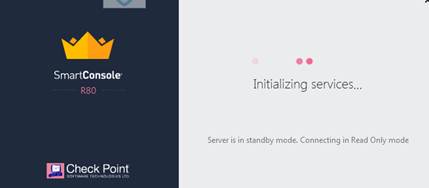
First of all most of the time we cannot access without read only because the server is in "Stand by" mode:

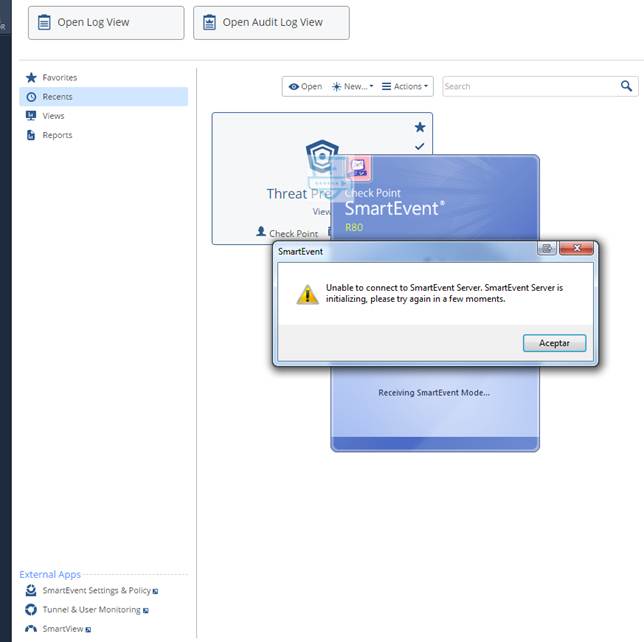
If we can access without Read Only and try to initialize SmartEvent via the GUI option or the AnalyzerClient.exe the following mesage appear
Note: We thought that it would take a while to initialize the server, but after 20 hours the problems continues

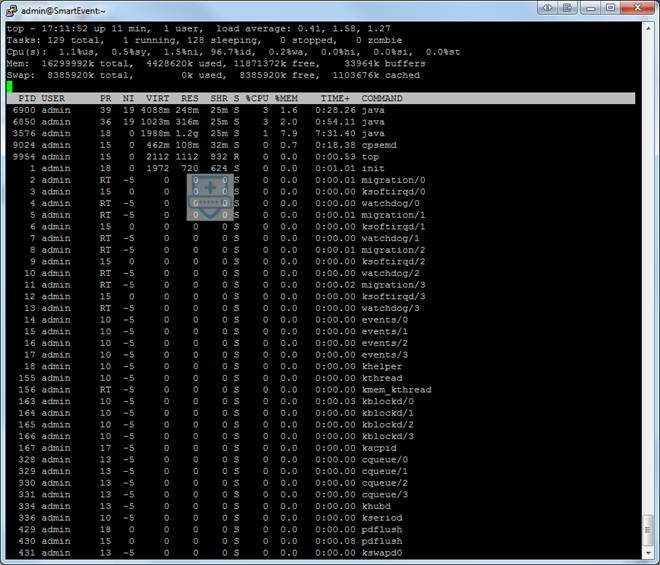
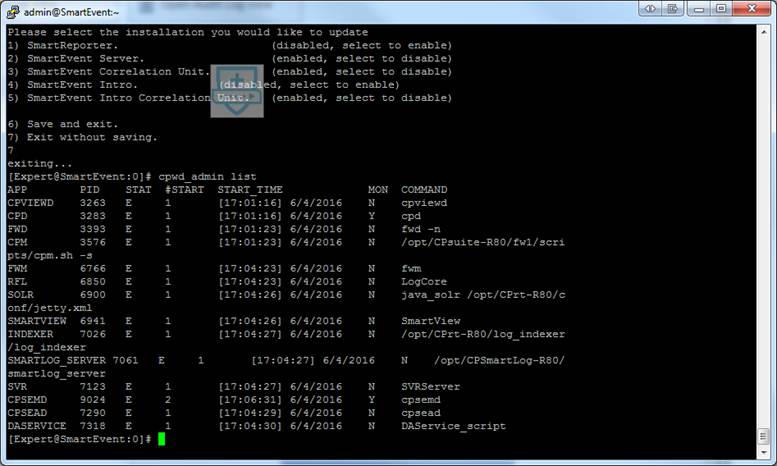
We checked if the procceses are up and running and they are.


Can you please point me in the right direction to solve this issue? I tried reinstalation and searching the knowledge base without success.
Thanks!
The official guide is the R80 Logging and Monitoring admin guide.
http://supportcontent.checkpoint.com/documentation_download?ID=46535
Are you connecting this to R77.X mgmt?
If so, run $RTDIR/scripts/SmartEvent_R80_change_dbsync_mode.sh after the first time wizard.
Does this apply to R77.X MDS Management as well? I read sk110894 and it does not mention running this skript for MDS, but I am not sure if I am reading it correctly.
Yes, it applies to R77.X MDS as well.
Did you find any solution?? I have the same issue.
I would see if you're still having this problem with R80.10, which was just released last week.
If you're still having issues, I would raise it with the TAC.
I tried with R80.10 and I have the same issue.
I too have the same problem with R80.10
I recommend involving the TAC, as noted earlier.
I think this is a case where you did not install SmartEvent R80(.10) correctly.
I have made that mistake myself and it looked exactly like your setup and if this is the case the fastest way is to reinstall as it will lead to good results within half an hour.
There is sk110894 but the youtube video is outdated and will get you exactly into the problems you describe above.
Most of my comments on this article have been used to update the article so make sure you read it very very carefull.
Leaderboard
Epsum factorial non deposit quid pro quo hic escorol.
| User | Count |
|---|---|
| 24 | |
| 19 | |
| 10 | |
| 9 | |
| 8 | |
| 7 | |
| 6 | |
| 4 | |
| 4 | |
| 4 |
Fri 29 May 2026 @ 09:00 AM (EDT)
Caracas: Executive Breakfast: Innovación en Ciberseguridad – IA y Threat IntelligenceTue 02 Jun 2026 @ 06:00 PM (IDT)
Under the Hood | Check Point SASE: Identity Integration & Access Policy Design Best PracticesThu 04 Jun 2026 @ 02:00 PM (CEST)
Deep Dive Webinar: New CloudGuard GWLB Deployment Without NAT Gateways - EuropeTue 02 Jun 2026 @ 06:00 PM (IDT)
Under the Hood | Check Point SASE: Identity Integration & Access Policy Design Best PracticesThu 04 Jun 2026 @ 02:00 PM (CEST)
Deep Dive Webinar: New CloudGuard GWLB Deployment Without NAT Gateways - EuropeThu 04 Jun 2026 @ 07:00 PM (IDT)
Deep Dive Webinar: New CloudGuard GWLB Deployment Without NAT Gateways - AmericaFri 12 Jun 2026 @ 10:00 AM (CEST)
CheckMates Live Netherlands - Sessie 47: Continuous Threat Exposure ManagementFri 29 May 2026 @ 09:00 AM (EDT)
Caracas: Executive Breakfast: Innovación en Ciberseguridad – IA y Threat IntelligenceAbout CheckMates
Learn Check Point
Advanced Learning
YOU DESERVE THE BEST SECURITY