Imagine the following situation: you are assigned to upgrade a Smart-1 6000-L appliance to R82 Jumbo Hotfix Take 91. You prepare your USB flash drive using Isomorphic Tool in BIOS mode, following sk65205. Everything is ready, and you proceed to the maintenance activity.
Once onsite, you perform all recommended preparation steps, including collecting a System Backup and a Migrate Export. However, when arriving at the datacenter, you face an issue with the appliance console port. The console is not responding, and authentication is not possible. You then attempt to access the LOM, but it is also unreachable, and you are unable to configure an IP address either through clish or ipmitool.
At this point, everything seems lost.
Then, you receive a suggestion that this appliance model might work using a VGA monitor and USB keyboard directly connected to the appliance. Fortunately, the customer had a VGA monitor, cable, and keyboard available in the datacenter.
Video output works, and the bootable USB flash drive is recognized. However, selecting Option 2 (Appliance) during boot does not display anything on the screen. After additional testing, you try the "4 -Open Server VGA" option, and it works successfully.
This post is intended to share this experience and provide useful operational knowledge for anyone who may face a similar situation in the future.
Below, I will describe the scenario with images and examples to help others troubleshoot the same issue if encountered.
sk65205 – Shows which appliance models require the USB flash drive to be formatted using Isomorphic Tool.


Front view of the appliance.

I recommend using the official Getting Started Guide for Smart-1 6000-L/XL Appliances as a reference:
https://sc1.checkpoint.com/documents/Smart1_6000_L_XL_GSG/English/CP_Smart-1_6000-L-XL_Appliances_Ge...
This document provides a complete overview of all appliance ports and hardware interfaces.

Connect the VGA monitor cable to the appliance VGA port, connect the USB keyboard, and insert the bootable USB flash drive into one of the USB ports.
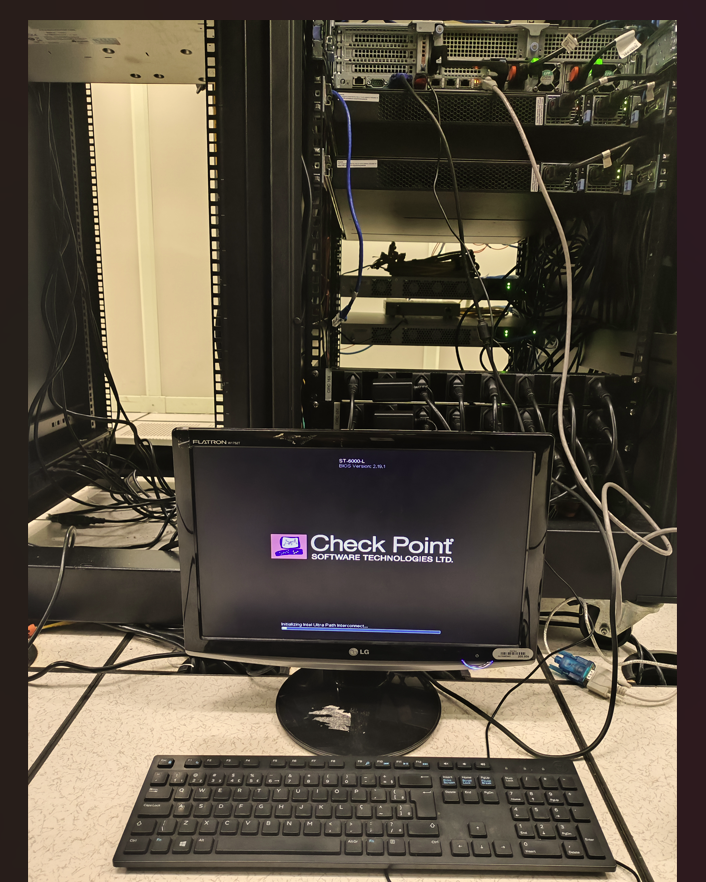
Select the option:
“4 - Open Server with VGA”
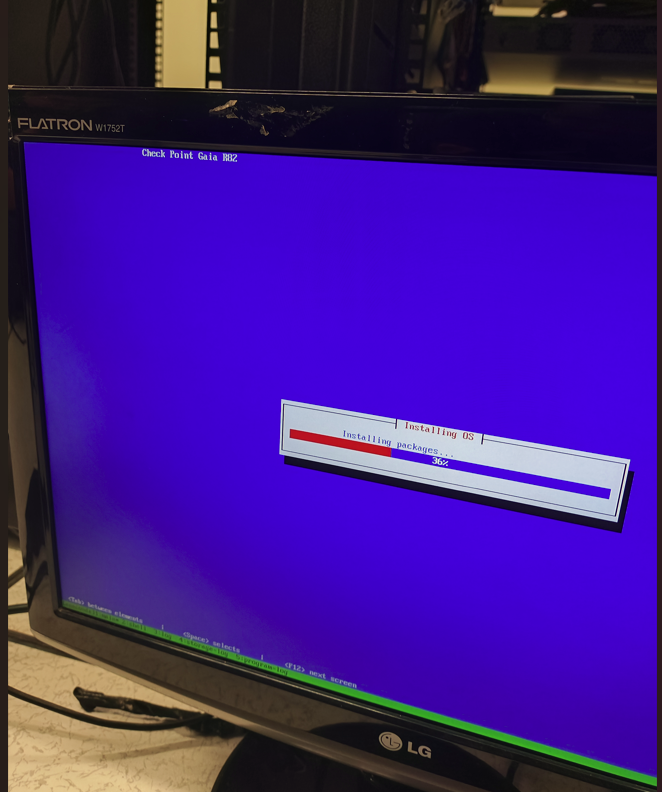
NOTE: When selecting Option 2 (Appliance), the installation progress screen is not displayed, preventing the installation process from continuing properly.

Below is the view showing that, after selecting “4 - Open Server with VGA”, video output works correctly during the installation process, making it possible to complete the installation normally.
After completing the first stage of the installation, connect to the Smart-1 Mgmt port and access the WebUI through:
https://192.168.1.1
Run the appropriate First Time Wizard and continue with the installation process normally.
After completing the initial configuration, I uploaded the previously collected Migrate Export file and performed the corresponding import procedure. Then, I applied the license and finalized the upgrade successfully.





