- Products
- Learn
- Local User Groups
- Partners
- More

What's New in Check Point SASE
Wednesday, 9 September @ 5pm CET / 11am EDT
The State of Ransomware Q2 2026:
This Quarter's Trends, and Their Impact on Your Defenses
AI Security Masters
Implementing the AI Security Trifecta
CheckMates Go:
Half is Not Enough
Hey team,
I really hope someone can help me with suggestion/advice on this. My colleague and I tried to test this for a customer and we cant get it working no matter what we do. I know I got this working with another client few months back by following same procedure as below:
SAML authentication in Remote Access VPN clients (checkpoint.com)
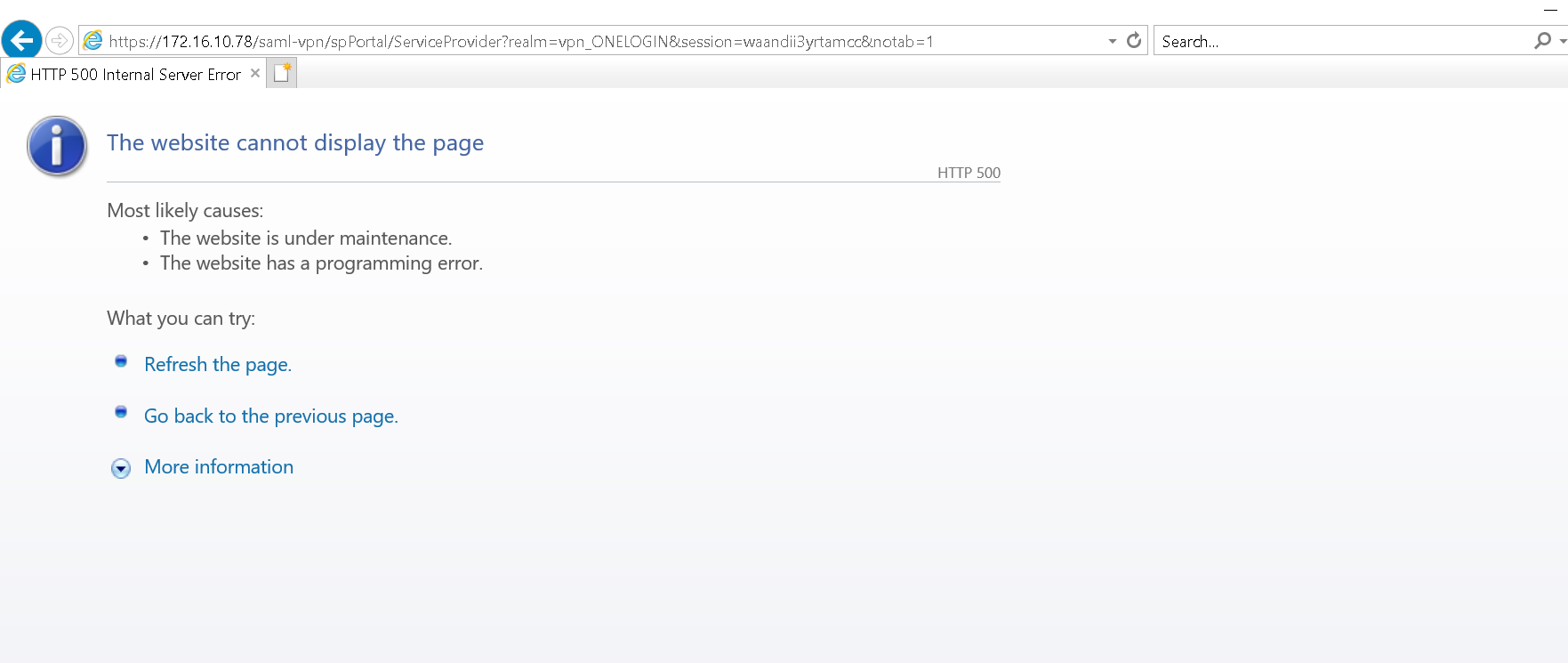
Im testing this in lab with 2 single gateway on R81.10 jumbo 30. For context, IP of gateway is 172.16.10.78...now, we set up identity provider and all shows green in smart console. We then made sure remote access is set up right, auth method is there as per document and it does show when trying to connect via vpn client, BUT, the actual page never comes up, though log in works on identity provider side that my colleague set up with my email address.
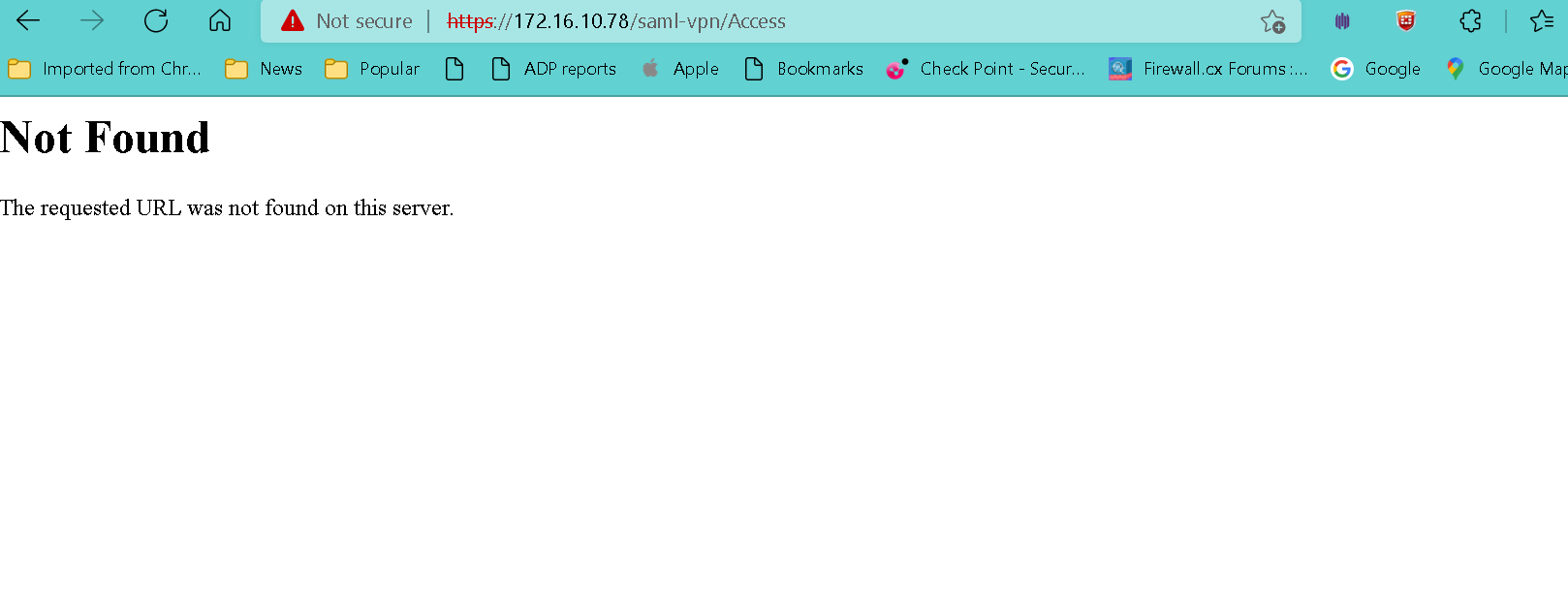
Also, I could be mistaken when I say this, but Im pretty certain below page should work, but it does not...
I attached some screenshot for reference. If someone can give any guidance, I would be very grateful!
Thanks as always!
Hey team,
I really hope someone can help me with suggestion/advice on this. My colleague and I tried to test this for a customer and we cant get it working no matter what we do. I know I got this working with another client few months back by following same procedure as below:
SAML authentication in Remote Access VPN clients (checkpoint.com)
Im testing this in lab with 2 single gateway on R81.10 jumbo 30. For context, IP of gateway is 172.16.10.78...now, we set up identity provider and all shows green in smart console. We then made sure remote access is set up right, auth method is there as per document and it does show when trying to connect via vpn client, BUT, the actual page never comes up, though log in works on identity provider side that my colleague set up with my email address.
Also, I could be mistaken when I say this, but Im pretty certain below page should work, but it does not...
I attached some screenshot for reference. If someone can give any guidance, I would be very grateful!
Thanks as always!
Hey team,
I really hope someone can help me with suggestion/advice on this. My colleague and I tried to test this for a customer and we cant get it working no matter what we do. I know I got this working with another client few months back by following same procedure as below:
SAML authentication in Remote Access VPN clients (checkpoint.com)
Im testing this in lab with 2 single gateway on R81.10 jumbo 30. For context, IP of gateway is 172.16.10.78...now, we set up identity provider and all shows green in smart console. We then made sure remote access is set up right, auth method is there as per document and it does show when trying to connect via vpn client, BUT, the actual page never comes up, though log in works on identity provider side that my colleague set up with my email address.
Also, I could be mistaken when I say this, but Im pretty certain below page should work, but it does not...
I attached some screenshot for reference. If someone can give any guidance, I would be very grateful!
Thanks as always!
Hey team,
I really hope someone can help me with suggestion/advice on this. My colleague and I tried to test this for a customer and we cant get it working no matter what we do. I know I got this working with another client few months back by following same procedure as below:
SAML authentication in Remote Access VPN clients (checkpoint.com)
Im testing this in lab with 2 single gateway on R81.10 jumbo 30. For context, IP of gateway is 172.16.10.78...now, we set up identity provider and all shows green in smart console. We then made sure remote access is set up right, auth method is there as per document and it does show when trying to connect via vpn client, BUT, the actual page never comes up, though log in works on identity provider side that my colleague set up with my email address.
Also, I could be mistaken when I say this, but Im pretty certain below page should work, but it does not...
I attached some screenshot for reference. If someone can give any guidance, I would be very grateful!
Thanks as always!
Yep, I have TAC case open, we have remote tomorrow.
Yep, I have TAC case open, we have remote tomorrow.
Yep, I have TAC case open, we have remote tomorrow.
Hello,
Did you resolve the issue? can share the solution? we also, encountering the same issue with R80.40 take 158 integration with OKTA SAML.
thanks.
Hello,
Did you resolve the issue? can share the solution? we also, encountering the same issue with R80.40 take 158 integration with OKTA SAML.
thanks.
Hello,
Did you resolve the issue? can share the solution? we also, encountering the same issue with R80.40 take 158 integration with OKTA SAML.
thanks.

Pls advise if you were able to resolve this issue and what steps were taken.?
We have a similar issue using R81.10 Take 94
Pls advise if you were able to resolve this issue and what steps were taken.?
We have a similar issue using R81.10 Take 94
Pls advise if you were able to resolve this issue and what steps were taken.?
We have a similar issue using R81.10 Take 94
Yes, so sorry guys, I totally forgot to update what TAC told us. Guy from DTAC mentioned that this page does not work by default, which does not really affect how SAML auth functions, as we made it work correctly in the lab. When testing with client, we got prompted for one login (provider we used) code and authentication worked fine.
In all honestly, I have no clue in the world whether what we were told is actual fact, as nowhere does it state that page does not work by default, but it was good enough for customer and myself, since as long as auth worked fine, which it did, thats all we cared about : - )
Yes, so sorry guys, I totally forgot to update what TAC told us. Guy from DTAC mentioned that this page does not work by default, which does not really affect how SAML auth functions, as we made it work correctly in the lab. When testing with client, we got prompted for one login (provider we used) code and authentication worked fine.
In all honestly, I have no clue in the world whether what we were told is actual fact, as nowhere does it state that page does not work by default, but it was good enough for customer and myself, since as long as auth worked fine, which it did, thats all we cared about : - )
Yes, so sorry guys, I totally forgot to update what TAC told us. Guy from DTAC mentioned that this page does not work by default, which does not really affect how SAML auth functions, as we made it work correctly in the lab. When testing with client, we got prompted for one login (provider we used) code and authentication worked fine.
In all honestly, I have no clue in the world whether what we were told is actual fact, as nowhere does it state that page does not work by default, but it was good enough for customer and myself, since as long as auth worked fine, which it did, thats all we cared about : - )

Hola, puedes compartir por favor la solución a este error.
Hola, puedes compartir por favor la solución a este error.
Hola, puedes compartir por favor la solución a este error.