- Products
- Learn
- Local User Groups
- Partners
- More

What's New in Check Point SASE
Wednesday, 9 September @ 5pm CET / 11am EDT
The State of Ransomware Q2 2026:
This Quarter's Trends, and Their Impact on Your Defenses
AI Security Masters
Implementing the AI Security Trifecta
CheckMates Go:
Half is Not Enough
Hello,
I have an issue with NAT to access to interne service from internet.
I have a server wich run sftp service, it's in the subnet A
I have also a reverseProxy wich is in an other subnet B.
So when query arrive from internet on public ip address, Checkpoint NAT it to the reversproxy, and the reverse proxy forward to the internal server.
But, It doesn't work.
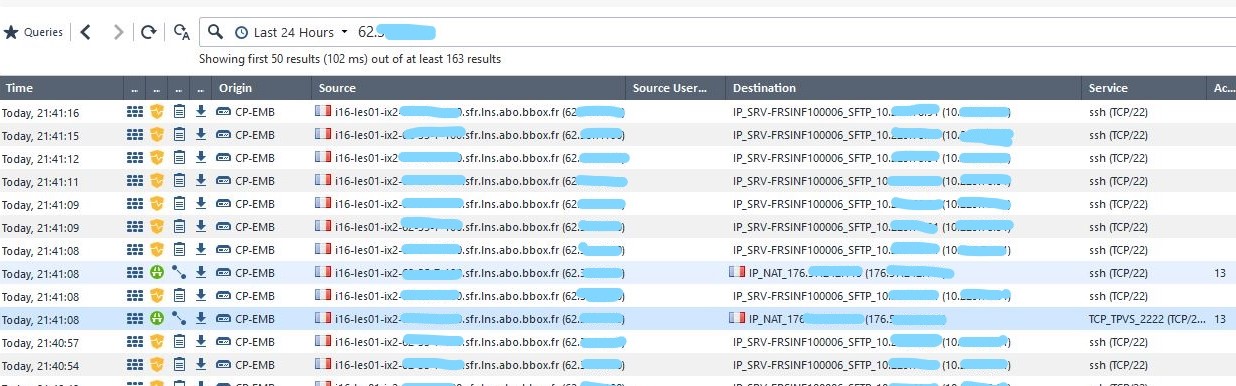
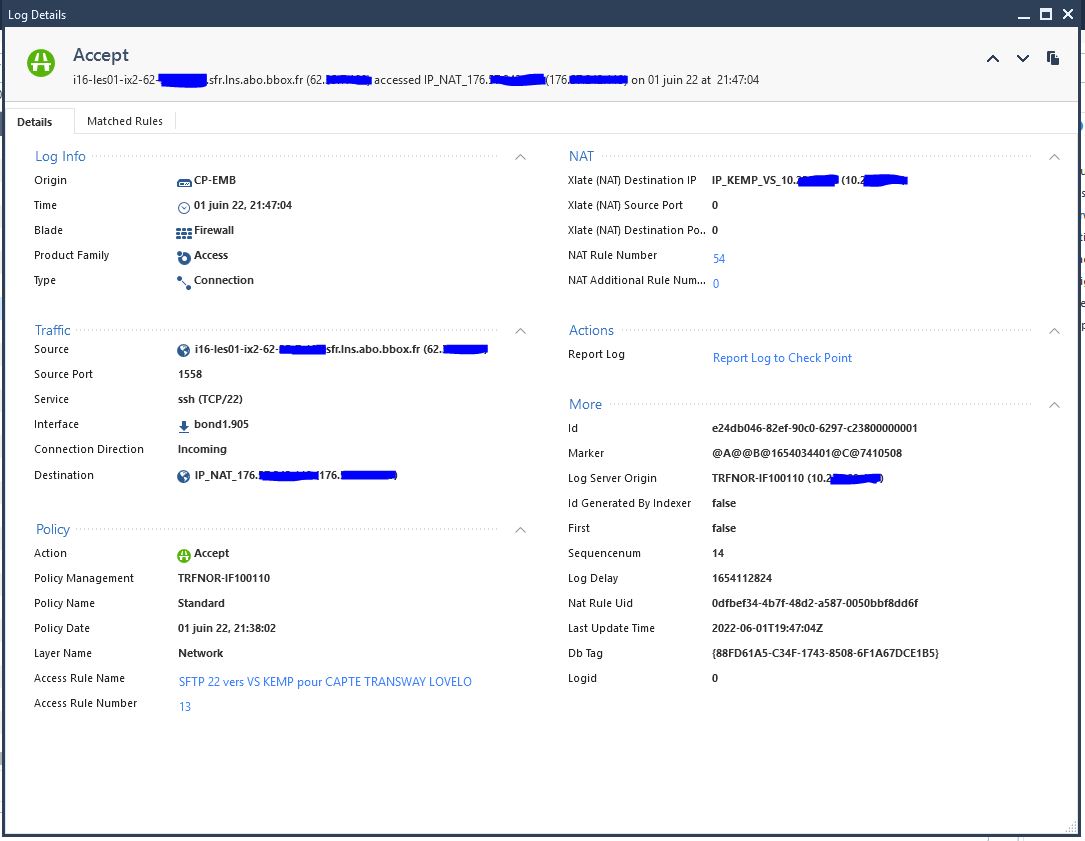
when I check the log, I see pass log from external ip address to my public ip address, it's good for me.
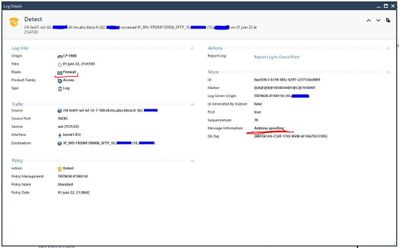
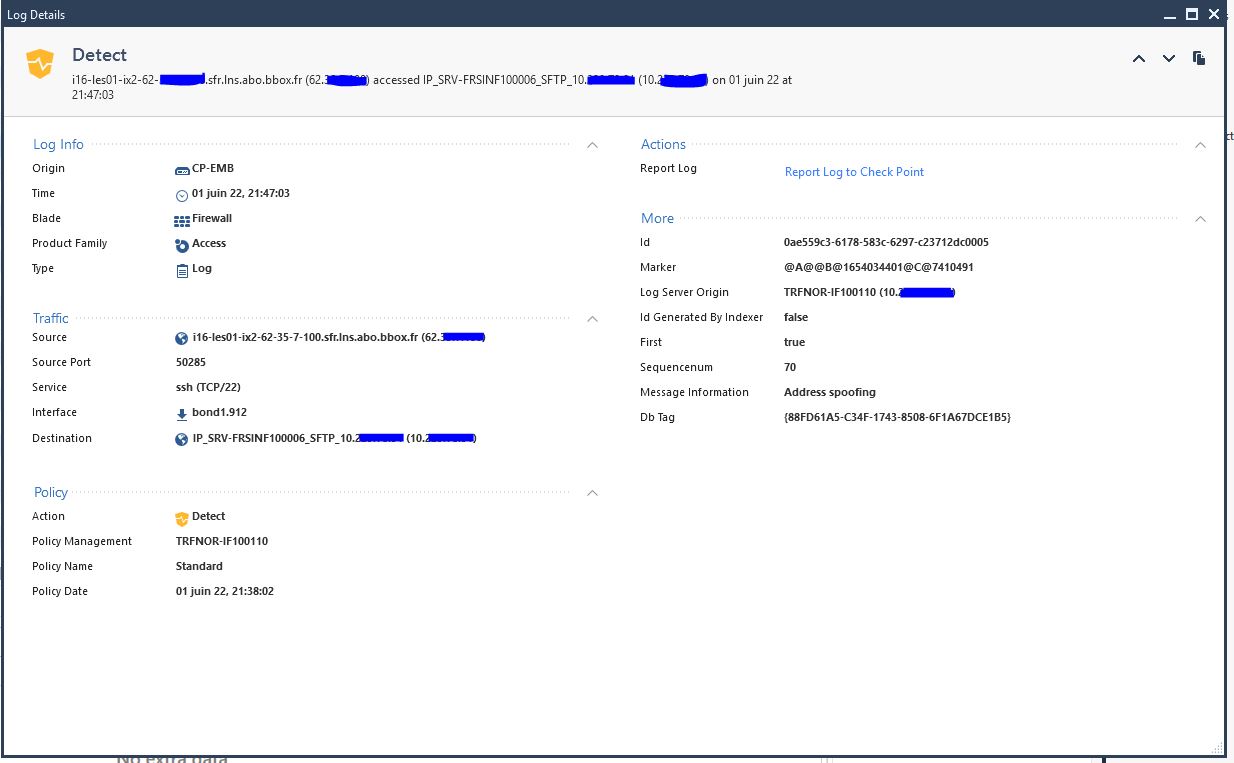
But, I also see a query from external ip address to my serveur sftp (internal) while I just tap public ip address :22, with state "Detect"
I put a pic, bbox.fr(62.....) it's from internet, Ip_nat_176 it's my public ip and sftp_10 it's internal serveur
Have you any ideas to help me ?
Thank you
Can you put a screenshot of the actual nat rule in place?
Andy
I send you the sreenshots
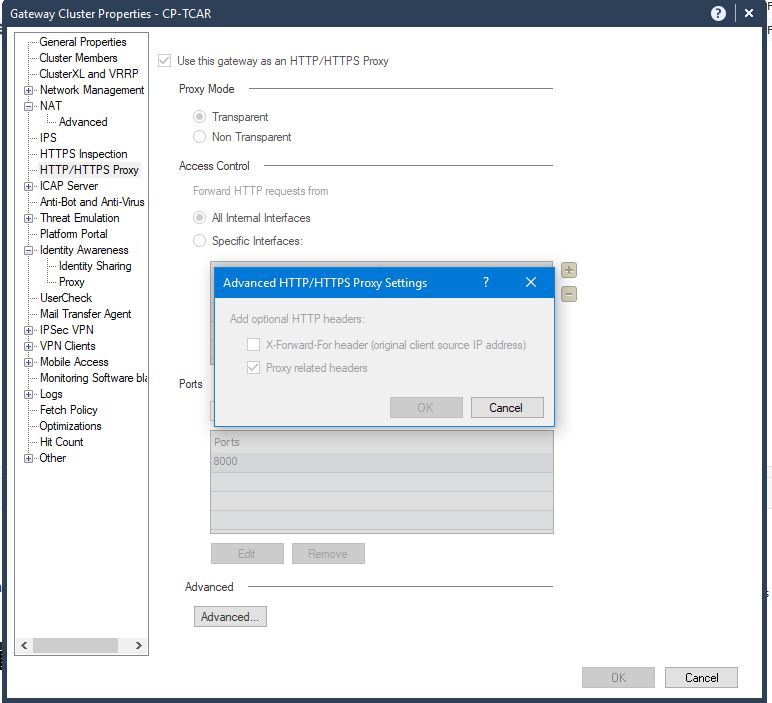
About X-forwarded , can you tell me if you talk to me about this parameter on screenshot "x-for" please
I send you the sreenshots
About X-forwarded , can you tell me if you talk to me about this parameter on screenshot "x-for" please
So, I still don't see the problem you are talking about.
The logs show properly what is happening, no errors or smth like that.
The Detect that you see, it comes from IPS, and if it was blocking it, you would see it as Prevent.
Also the NAT rule is correct.
So you say that with that rule, the SSH session doesn't work or what? What is the error you see.
Had you run some captures on either sides ?
Thank you,
PS: the "X-Forwarded for" is about HTTP/S headers, doesn't apply to SSH or SFTP traffic.
PS2: the Public IP you use is the same with the one on the GW - facing Internet - or is a different IP ?
So, I still don't see the problem you are talking about.
The logs show properly what is happening, no errors or smth like that.
The Detect that you see, it comes from IPS, and if it was blocking it, you would see it as Prevent.
Also the NAT rule is correct.
So you say that with that rule, the SSH session doesn't work or what? What is the error you see.
Had you run some captures on either sides ?
Thank you,
PS: the "X-Forwarded for" is about HTTP/S headers, doesn't apply to SSH or SFTP traffic.
PS2: the Public IP you use is the same with the one on the GW - facing Internet - or is a different IP ?
the line on state "Detect" shouldn't be happening.
Because I just send request to public IP, then NAT it to the reverse proxy
But, as we can see, I send request to internal server but I don’t know how.
My original request is ok, but I don’t connect to the server sftp. I have a timeout
PS2: the Public IP you use is the same with the one on the GW - facing Internet - or is a different IP ?
It's two different IP
the line on state "Detect" shouldn't be happening.
Because I just send request to public IP, then NAT it to the reverse proxy
But, as we can see, I send request to internal server but I don’t know how.
My original request is ok, but I don’t connect to the server sftp. I have a timeout
PS2: the Public IP you use is the same with the one on the GW - facing Internet - or is a different IP ?
It's two different IP
"the line on state "Detect" shouldn't be happening." - Initially I was thinking that is because of IPS, and that will happen on every traffic depending on your IPS rules. And like I said, it's a Detect (so it's catching things but allowing them) not a Prevent (this it will catch things and DENY them)
But in your case, the DETECT is coming from Firewall Blade and it's an Address Spooofing 🙂
So please check and see that the IP's are set correctly on the interfaces, and you have proper Spoofing set....
Is Internal Destination IP (10.xxxx) part of bond1.912 ?!?!?!?!?!
Ty,
"the line on state "Detect" shouldn't be happening." - Initially I was thinking that is because of IPS, and that will happen on every traffic depending on your IPS rules. And like I said, it's a Detect (so it's catching things but allowing them) not a Prevent (this it will catch things and DENY them)
But in your case, the DETECT is coming from Firewall Blade and it's an Address Spooofing 🙂
So please check and see that the IP's are set correctly on the interfaces, and you have proper Spoofing set....
Is Internal Destination IP (10.xxxx) part of bond1.912 ?!?!?!?!?!
Ty,