- Products
- Learn
- Local User Groups
- Partners
- More

What’s New in Identity and Trust?
AI Security Masters
Security in the Pace of AI:
From Threat to Force Multiplier
CPX is Back!
Join us in Las Vegas, Vienna, and/or Bangkok!
Check Point Named a Leader
The Forrester Wave:
Enterprise Firewall Solutions, Q4 2026
What’s New in Agentic Network Orchestration
CheckMates Go:
Fun Ding
good morning group, I have a problem I found the following sk163461 to be able to reset the admin psw since my client forgot it and it was not documented, only that at the time of mounting live centers I do not appear options, someone who can help me ??
So you have downloaded the CentOS 7 LiveCD ISO and placed on laptop
Downloaded the UNetbootin portable executable
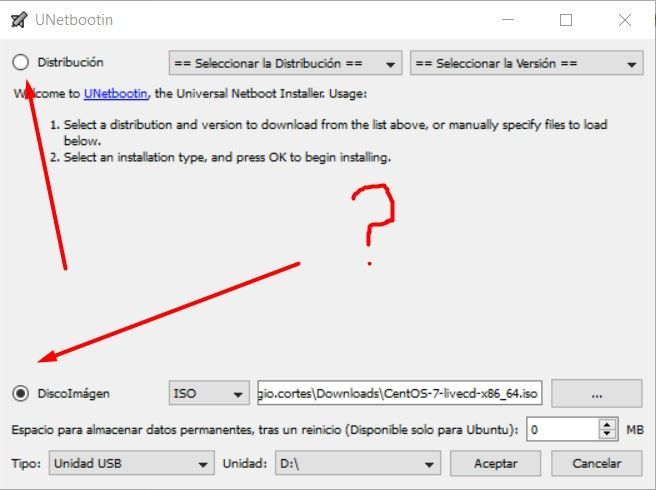
Use the UNetbootin portable executable to create the USB Stick with LiveCD ISO File
Followed the instructions to update the files
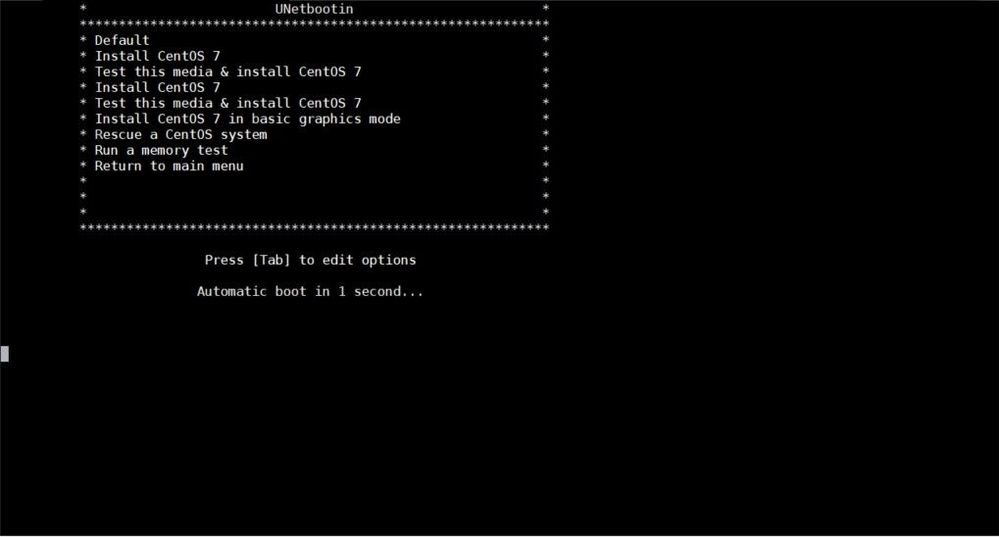
The screenshot provided is then what presented with after booting off the USB Stick.
Isn't what would expect where did you download the LiveCD Iso from?
Thanks for your answers, ok I explain.
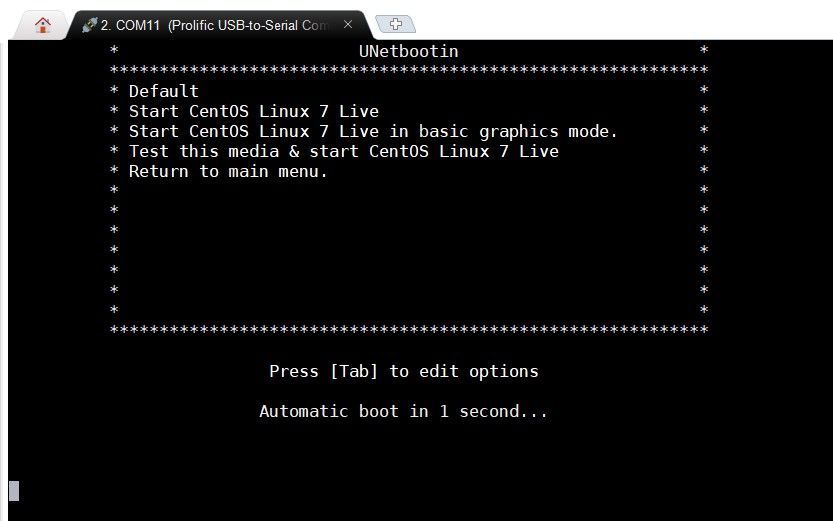
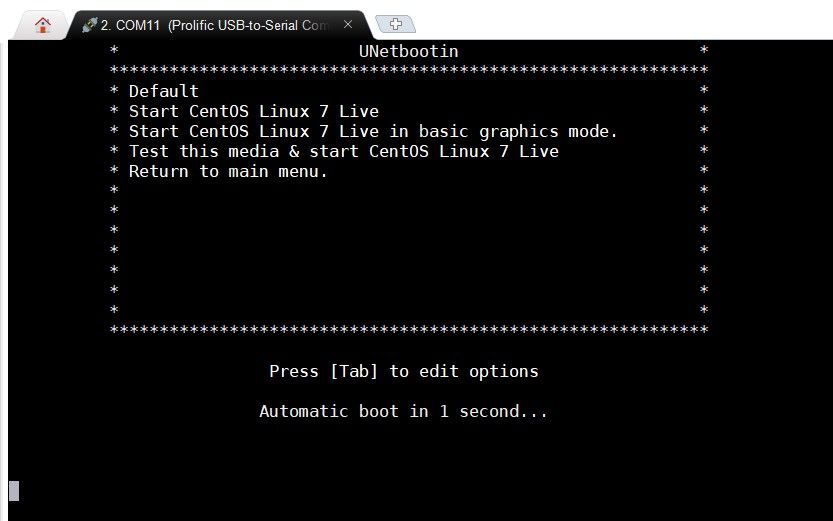
download the average that the SK indicates to me, use the program to generate the USB, modify the parameters indicated by the SK, but at the moment of wanting to boot and choose the one and choose the option the screen freezes!
As in the picture I attached!
OK so the screenshot looks more as would expect with the LiveCD then the first screenshot did.
Did the md5sum of the downloaded iso match correctly as looks as though the LiveCD unable to start properly.
Hi
I try to apply the sk but my management is install in vmware machine, its possible use this procedure.
Regards
Hi,
We have since updated sk163461 to make the steps more clear (which ISO file we tested, example of edits) and recommend use of Rufus instead of Unetbootin to produce more consistent results with USB stick creation.
The behavior reported by the original poster (freeze after boot menu) will happen if the files on the USB stick as indicated in the SK are not modified in the correct way. The purpose of step 2 of sk163461 is to redirect the kernel text output to the serial console port on a Check Point appliance after the boot menu, since those appliances do not have any standard VGA video output.
If the serial console output freezes here, the kernel is probably not outputting to the correct RS232 serial port on the appliance. Removing "rhgb" and "quiet" will disable the CentOS graphical boot, console=/dev/ttyS0,9600 will output to the first RS232 serial port on the appliance (serial console port).
To answer another question in this thread, the procedure in the SK will still work on a VM however you can omit step 2 which requires editing of isolinux.cfg, since in this case the VM does have standard VGA video output.
Best regards,
Zachary Shaver
Leaderboard
Epsum factorial non deposit quid pro quo hic escorol.
| User | Count |
|---|---|
| 28 | |
| 11 | |
| 5 | |
| 5 | |
| 4 | |
| 4 | |
| 4 | |
| 4 | |
| 3 | |
| 3 |
Tue 17 Nov 2026 @ 08:30 AM (EST)
Bogota Breakfast & Hack: IA bajo control y ataques en vivo con Workspace SecurityTue 17 Nov 2026 @ 05:00 PM (CET)
AI Security Masters: Security in the Pace of AI: From Threat to Force MultiplierTue 17 Nov 2026 @ 11:00 AM (EST)
Under the Hood: Check Point SASE | Troubleshooting Like a ProTue 24 Nov 2026 @ 01:30 PM (GMT)
La nueva realidad de los ataques DDoS: autonomía, escala y el futuro de la defensaTue 17 Nov 2026 @ 05:00 PM (CET)
AI Security Masters: Security in the Pace of AI: From Threat to Force MultiplierTue 17 Nov 2026 @ 11:00 AM (EST)
Under the Hood: Check Point SASE | Troubleshooting Like a ProTue 24 Nov 2026 @ 01:30 PM (GMT)
La nueva realidad de los ataques DDoS: autonomía, escala y el futuro de la defensaWed 02 Dec 2026 @ 03:30 PM (GMT)
The New DDoS Reality: Autonomy, Scale, and the Future of DefenseTue 17 Nov 2026 @ 08:30 AM (EST)
Bogota Breakfast & Hack: IA bajo control y ataques en vivo con Workspace SecurityAbout CheckMates
Learn Check Point
Advanced Learning
WE SECURE YOUR AI TRANSFORMATION