- Products
- Learn
- Local User Groups
- Partners
- More

AI Security Masters E7:
How CPR Broke ChatGPT's Isolation and What It Means for You
Blueprint Architecture for Securing
The AI Factory & AI Data Center
Call For Papers
Your Expertise. Our Stage
Good, Better, Best:
Prioritizing Defenses Against Credential Abuse
Ink Dragon: A Major Nation-State Campaign
Watch HereCheckMates Go:
CheckMates Fest
What is the proper method for trying to remove a large (8gb) NGAV log file?
I can't seem to remove it with the product running, and there is no way to really disable it from the server itself that I know of. Even if I disable it from the server management server some of the blades still show online.
Thank you,
hi,
it possible by remove self protection.
in %temp% there is a folder with GUID format
inside this folder there is a file called passdialog.exe
after running it, you will need to put your password for self protection and remove the log.
if you need any help you can contact me directly
what client version you are using?
is it possible that you did any changes to the log level?
Roman,
using that utility worked to remove the log.
This was in client version 80.86, I know that issue was resolved in newer client versions, just need to get this system updated.
Thank you,
ok let me know if my help needed.
Hello, my ngav.log file is over 151 GB. Where is the %temp% folder located?
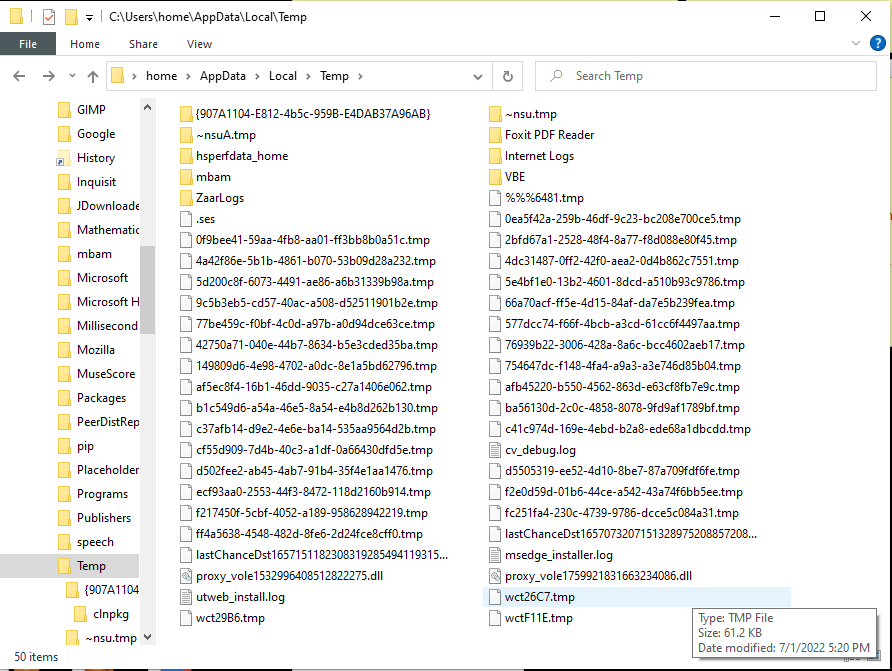
Using the "quick access" navigation in Windows explorer to navigate to %temp% should land you somewhere like:
"C:\Users\<username>\AppData\Local\Temp\" after which you need to leverage the search function.
I don't have that file in the temp folder or any of the subfolder in the temp folder.
I uninstalled and reinstalled it and that seems to have fixed the file size which stands now at 7.14MB. Not sure why it got so big.
If using the passdialog.exe is the only way to prevent it getting so big, then I guess I have to uninstall it and reinstall time to time. I wonder why I don't have that passdialog.exe file?
The file is also available from TAC if needed.
The log shouldn't get big unless you are on an old client version, logging has been set higher via registry or there is a problem.
Ok. How do I get the file? I reinstalled yesterday, and the NGAV.log was around 7 MB. It appears it has grown to about 20.9MB today. At that rate it would soon fill up the SSD again. I would rather have it stay a certain size and no larger. Can you attach the file to this thread with a step by step direction?
Please contact Support (TAC) to request the file.
From memory it is also bundled with SmartConsole installation for admins.
Leaderboard
Epsum factorial non deposit quid pro quo hic escorol.
| User | Count |
|---|---|
| 4 | |
| 2 | |
| 1 | |
| 1 | |
| 1 | |
| 1 | |
| 1 | |
| 1 | |
| 1 | |
| 1 |
Tue 28 Apr 2026 @ 06:00 PM (IDT)
Under the Hood: Securing your GenAI-enabled Web Applications with Check Point WAFThu 30 Apr 2026 @ 03:00 PM (PDT)
Hillsboro, OR: Securing The AI Transformation and Exposure ManagementTue 28 Apr 2026 @ 06:00 PM (IDT)
Under the Hood: Securing your GenAI-enabled Web Applications with Check Point WAFTue 12 May 2026 @ 10:00 AM (CEST)
The Cloud Architects Series: Check Point Cloud Firewall delivered as a serviceThu 30 Apr 2026 @ 03:00 PM (PDT)
Hillsboro, OR: Securing The AI Transformation and Exposure ManagementAbout CheckMates
Learn Check Point
Advanced Learning
YOU DESERVE THE BEST SECURITY