- Products
- Learn
- Local User Groups
- Partners
- More

What’s New in Agentic Network Orchestration
21 October @ 5pm CET / 11am EDT
AI Security Masters
LGTM: Bypassing an LLM Build Gate
When Prompt Injection Fails
Scaling Check Point Automation with Arodonata
CheckMates Go:
Fun Ding
Hello,
do we have any way how to push a new VPN Site address to Endpoint Security clients (create it)? i know we can play with MSI file and trac.defaults, but endpoint client deployed on 500 computers already (we began from Endpoint and gateway should be next step).
Advanced Package settings in SmartEndpoint looks like change MSI file also.
And do we have any feature in SmartEndpoint for VPNs, because its part of client....
please advise.
thanks
I can not see if you talk about EPS VPN clients or full EPS Suite clients.
G_W_Albrecht, i guess its Suite
Hi,
I think there is no way to do it in Check Point from SmartConsole.
But, u can do it from remotely managed devices tools (Like: LanDesk)
Below the alternatives:
1. Just do it manually on one device which is admin device of that tool and then push to all the other devices which managed by that tool.
2: You can do it from Windows CMD as well few lines command is there (will share you in next post), but you have to run on each machine.
2nd one is little bit tough for you, but you can create SOP share with users
Thank You
Yatiraj
Thank you Yatiraj, i thought about that, looks like i have to replace conf files remotely... just one way
Hi,
Was the post shared on how remotely create a site via CMD?
Id be definitely interested in hearing a solution for this one, as I have the same issue at the moment.
Also does anyone know if its possible to define two sites in the packages for export from the R80.30 smartendpoint server, so that users have the option to connect into either site say if one was down?
Not two sites. You are looking for a single site in MEP configuration. It is well documented, actually.
No problem, is there any way of pushing out a second site to users? We have 500+ users, it would be some pain to have to manually add a second site to all the user machines.
Basically, in any Remote Access Admin Guide. Here is an example: https://sc1.checkpoint.com/documents/R80.10/WebAdminGuides/EN/CP_R80.10_RemoteAccessVPN_AdminGuide/h...
Did you read the comments?
Apologies then.
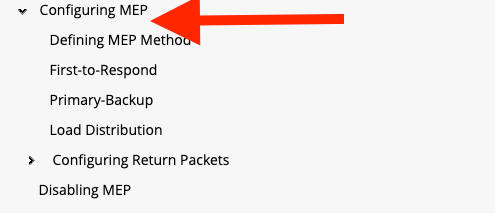
The link I was posting should go to the "Configuring MEP" section of the doc. It is not working for me either, sorry about that.
Since the original question was about adding a secondary site, MEP is the best option. Config tool is to create MSI packages. This is indeed the way, but you need to push them around. Depending on the actual needs and desired, either way could work.
Leaderboard
Epsum factorial non deposit quid pro quo hic escorol.
| User | Count |
|---|---|
| 55 | |
| 3 | |
| 2 | |
| 2 | |
| 1 | |
| 1 | |
| 1 | |
| 1 | |
| 1 | |
| 1 |
Thu 08 Oct 2026 @ 11:00 AM (EDT)
Under the Hood: Check Point SASE | Zero Trust Network Access, Step by StepFri 09 Oct 2026 @ 10:00 AM (CEST)
CheckMates Live Netherlands - Sessie 49: Maak kennis met Check Point R82.20Tue 13 Oct 2026 @ 06:00 PM (IDT)
AI Security Masters: LGTM: Bypassing an LLM Build Gate When Prompt Injection FailsThu 08 Oct 2026 @ 11:00 AM (EDT)
Under the Hood: Check Point SASE | Zero Trust Network Access, Step by StepFri 09 Oct 2026 @ 10:00 AM (CEST)
CheckMates Live Netherlands - Sessie 49: Maak kennis met Check Point R82.20Tue 20 Oct 2026 @ 04:00 PM (CEST)
EMEA: Beyond the Basics: Designing Identity Awareness for Large-Scale EnvironmentsTue 20 Oct 2026 @ 03:00 PM (EDT)
AMER: Beyond the Basics: Designing Identity Awareness for Large-Scale EnvironmentsThu 29 Oct 2026 @ 11:00 AM (PDT)
Irvine, CA: Secure the Network, the App, and the Workforce: A Hybrid Mesh & SASE BriefingAbout CheckMates
Learn Check Point
Advanced Learning
YOU DESERVE THE BEST SECURITY