- Products
- Learn
- Local User Groups
- Partners
- More

AI Security Masters E7:
How CPR Broke ChatGPT's Isolation and What It Means for You
Blueprint Architecture for Securing
The AI Factory & AI Data Center
Call For Papers
Your Expertise. Our Stage
Good, Better, Best:
Prioritizing Defenses Against Credential Abuse
Ink Dragon: A Major Nation-State Campaign
Watch HereCheckMates Go:
CheckMates Fest
Hello everyone,
If some one can help me out with this problem.
On our location we have Centrally managed SMB 1590, where we need to setup remote access for our users.
Connection to VPN goes well but when test user types in his local username and password he gets wrong username or password.
When checking logs for problems we see that failed login factor is password and reason is user unknown to FireWall-1 authentication. User is locally created and he is in VPN test group witch is participant user group for remote access.
Does anyone knows what could be the reason for this error and what can we do to fix it up ?
Thank you in advanced,
Tomislav
Hello everyone,
If some one can help me out with this problem.
On our location we have Centrally managed SMB 1590, where we need to setup remote access for our users.
Connection to VPN goes well but when test user types in his local username and password he gets wrong username or password.
When checking logs for problems we see that failed login factor is password and reason is user unknown to FireWall-1 authentication. User is locally created and he is in VPN test group witch is participant user group for remote access.
Does anyone knows what could be the reason for this error and what can we do to fix it up ?
Thank you in advanced,
Tomislav
Hello everyone,
If some one can help me out with this problem.
On our location we have Centrally managed SMB 1590, where we need to setup remote access for our users.
Connection to VPN goes well but when test user types in his local username and password he gets wrong username or password.
When checking logs for problems we see that failed login factor is password and reason is user unknown to FireWall-1 authentication. User is locally created and he is in VPN test group witch is participant user group for remote access.
Does anyone knows what could be the reason for this error and what can we do to fix it up ?
Thank you in advanced,
Tomislav
Where is the group definition? How do you set up users in the group?
Where is the group definition? How do you set up users in the group?
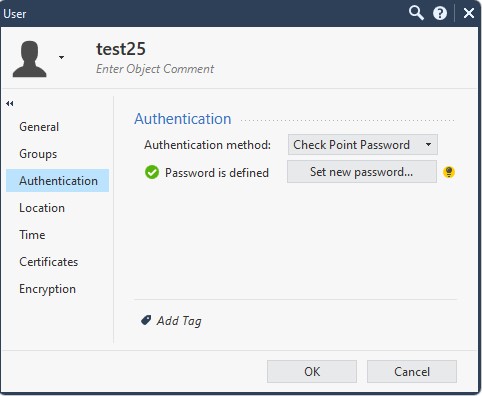
User is made locally in Smart Console then added to VPN test group.
What do you mean by group definition ?
User is made locally in Smart Console then added to VPN test group.
What do you mean by group definition ?
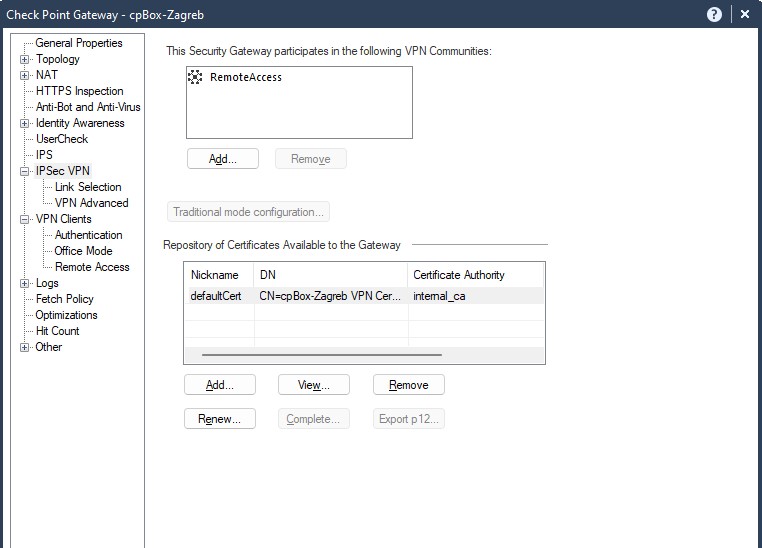
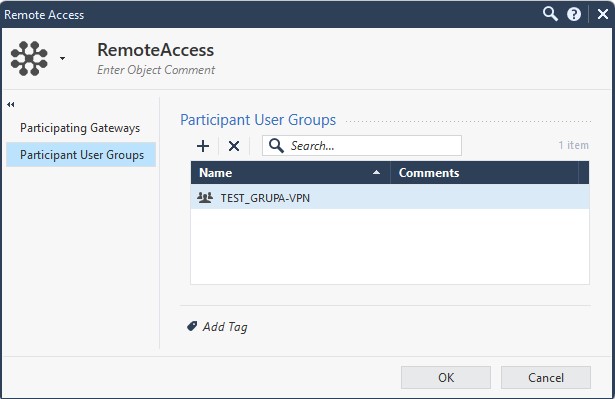
the invalid user error usually means a basic authentication issue: incorrectly defined user, group wrongly populated, etc. Your screenshots look fine so far, but you did not share user and group screenshots.
the invalid user error usually means a basic authentication issue: incorrectly defined user, group wrongly populated, etc. Your screenshots look fine so far, but you did not share user and group screenshots.
How do you know users can authenticate in the first place? Did you check them somewhere else?
How do you know users can authenticate in the first place? Did you check them somewhere else?
I didn't check if they can authenticate somewhere else since most of that is done via LDAP.
On 6400 that we have all users and groups are connected via LDAP and checked with Identity Awareness.
This 1590 is part of new network and management server and we want to make user locally and do authentication locally or via ISE because that whole network is isolated from our LAN.
I didn't check if they can authenticate somewhere else since most of that is done via LDAP.
On 6400 that we have all users and groups are connected via LDAP and checked with Identity Awareness.
This 1590 is part of new network and management server and we want to make user locally and do authentication locally or via ISE because that whole network is isolated from our LAN.
Contact TAC to get his resolved quickly !
Contact TAC to get his resolved quickly !
Second that. All settings look okay, please engage with TAC to fix this.
Second that. All settings look okay, please engage with TAC to fix this.