- Products
- Learn
- Local User Groups
- Partners
- More

MVP 2026: Submissions
Are Now Open!
What's New in R82.10?
Watch NowOverlap in Security Validation
Help us to understand your needs better
CheckMates Go:
Maestro Madness
Hello, team.
I currently have a standalone architecture, which is a R80.30 version, "mounted" on an OPEN SERVER.
I am having problems accessing my machine both via WebUI and SSH.
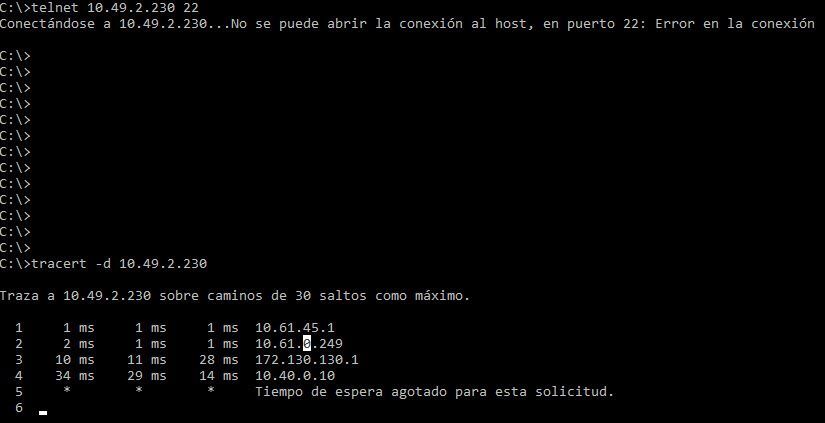
When I do Telnet tests, from my PC to the admin IP of my GW, it works as follows :
Telnet <IP GW> 443 -> YES IT WORKS (OPENS THE PORT)
Telnet <IP GW> 22 -> DOES NOT WORK (DOES NOT OPEN THE PORT)
PING <IP GW> -> NO RESPONSE
Tracert -d <IP GW> -> Lost on the fourth hop.
Not having access with my SSH credentials or WebUI, I am limited in troubleshooting.
Any idea how to solve this problem, or what could be the cause?
Note: I do have access through SmartConsole R80.30, and the IP of my PC, is 10.61.45.237
Thanks for your comments.
Problem Solved:
Hi, Chris.
I found the solution.
There was a bad documentation of the security policies that were created.
We made an edit to one of the security rules, allowing access to our IP, and this solved the error.
Thank you for your support.
Thanks for your support.
8)
Regarding access to the Web UI have you reviewed sk134872 ?
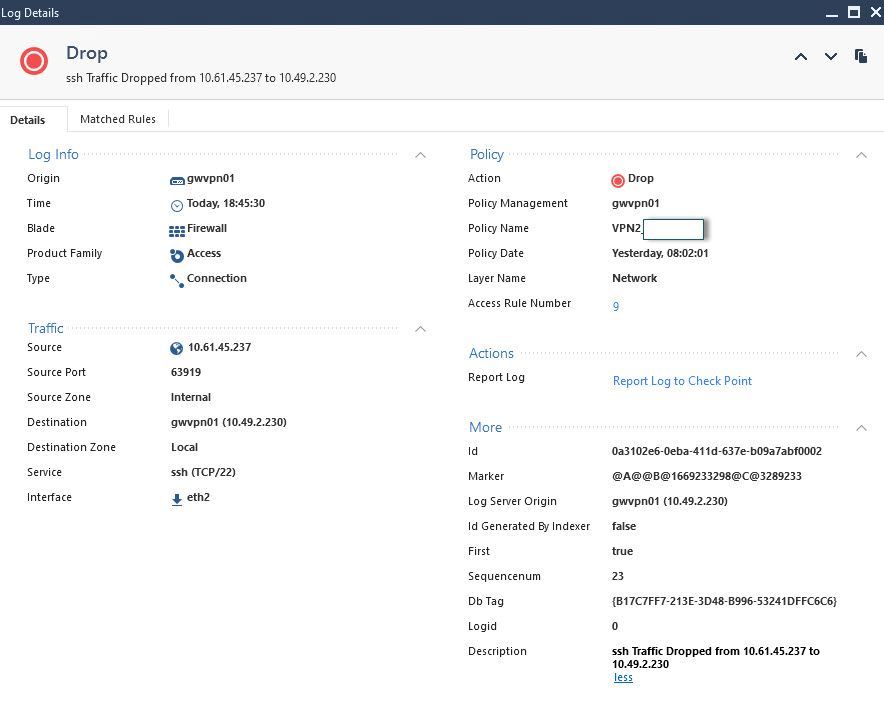
What logs do you observe if any regarding SSH attempts?
Hello,
Yes I have checked the SK mentioned.
In my case, the port to access the WebUI, is the default.
We have not modified anything.
The access was working fine, but suddenly it stopped working.
As we no longer have WEB or SSH access, it is difficult to perform TSHOOT, in this scenario.
Is it advisable to ask another colleague who has an administrator account on the computer to check my accesses?
In one of my pictures, I share a tracert to reach my GW, and you can see that the traffic stays on the 4th hop.
Can the equipment on the 4th hop be the cause of this problem of not having full access?
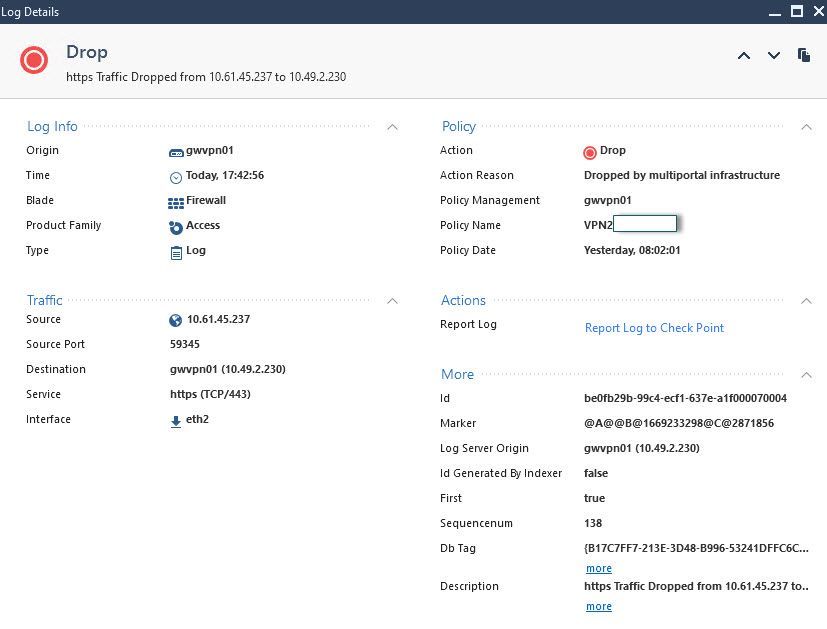
Regarding your question, when I make an attempt to connect via SSH, I see the following in the picture
Greetings.
Currently the logs suggest the policy simply needs to be changed to allow the access.
Without additional context it's difficult to determine why this may have changed e.g.
- Where there any new blade activations performed recently?
- Where there any upgrades/hotfixes installed recently?
- Any other maintenance or policy clean-up performed?
Problem Solved:
Hi, Chris.
I found the solution.
There was a bad documentation of the security policies that were created.
We made an edit to one of the security rules, allowing access to our IP, and this solved the error.
Thank you for your support.
Thanks for your support.
8)
Standalone config, always look for initial policy as well : - )
Leaderboard
Epsum factorial non deposit quid pro quo hic escorol.
| User | Count |
|---|---|
| 20 | |
| 20 | |
| 16 | |
| 8 | |
| 7 | |
| 3 | |
| 3 | |
| 3 | |
| 3 | |
| 3 |
Fri 12 Dec 2025 @ 10:00 AM (CET)
Check Mates Live Netherlands: #41 AI & Multi Context ProtocolTue 16 Dec 2025 @ 05:00 PM (CET)
Under the Hood: CloudGuard Network Security for Oracle Cloud - Config and Autoscaling!Fri 12 Dec 2025 @ 10:00 AM (CET)
Check Mates Live Netherlands: #41 AI & Multi Context ProtocolTue 16 Dec 2025 @ 05:00 PM (CET)
Under the Hood: CloudGuard Network Security for Oracle Cloud - Config and Autoscaling!About CheckMates
Learn Check Point
Advanced Learning
YOU DESERVE THE BEST SECURITY