- Products
- Learn
- Local User Groups
- Partners
- More

Secure Your AI Transformation
9 April @ 12pm SGT / 3pm CET / 2PM EDT
Check Point WAF TechTalk:
Introduction and New Features
AI Security Masters E6: When AI Goes Wrong -
Hallucinations, Jailbreaks, and the Curious Behavior of AI Agents
Ink Dragon: A Major Nation-State Campaign
Watch HereAI Security Masters E5:
Powering Prevention: The AI Driving Check Point’s ThreatCloud
CheckMates Go:
CheckMates Fest
Hello,
I have a Cluster R81.10 which has only the following blades enabled
[Expert@SG:0]# enabled_blades
fw av ips anti_bot mon
Client does not want to enable URLF+APPC blades.
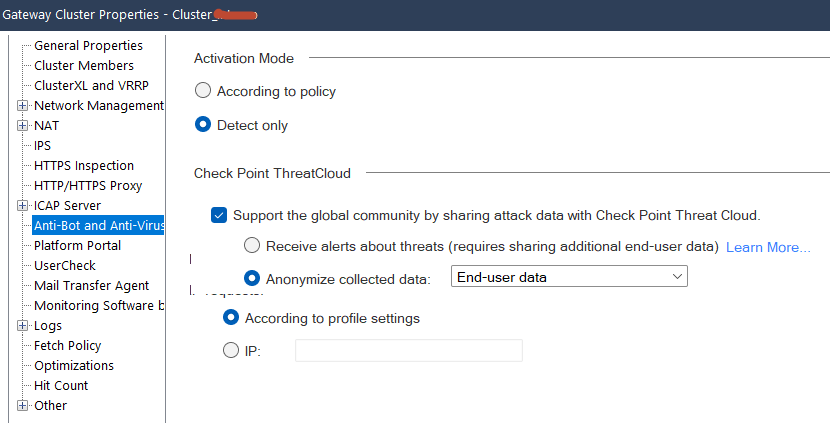
Customer does not want to modify the Cluster object behaviour (Currently AntiBot & Anti-Virus are set to "Detect Only")
The only viable option I see to block LAN traffic to the cilkonlay.com domain is to use a per FQDN rule.
The rule has been created, but the GW does not "obey" the rule.
Traffic is still allowed. It is relevant to mention that we are now testing access to the URL from remote user connections (RA VPN).
Does anyone know why traffic is not blocked with the custom FQDN rule?
Regards.
Can you send screenshot of the rule?
Hey,
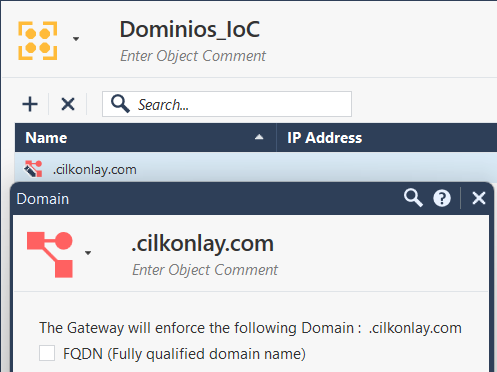
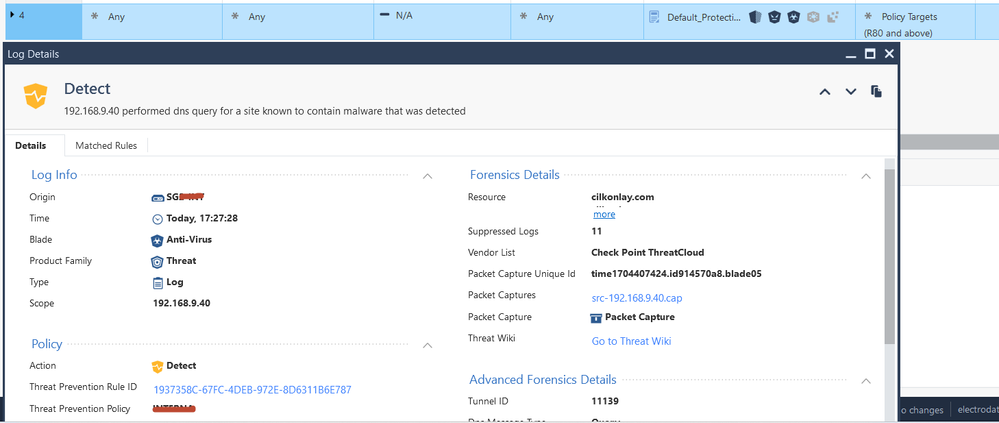
This is the TP rule you have defined.
And this is the rule we have created in the Firewall layer, so that it works with FQDN.
We are trying to block traffic to the domain "cilkonlay.com", but the Firewall is ignoring our Firewall rule using FQDN
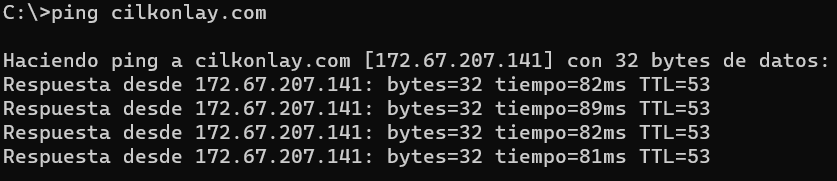
We are testing with a simple PING from our remote VPN user connections, but we are unable to block traffic to that destination.
Cheers 🙂
Bro, we been through this many times lol. You need to check according to policy setting in gateway object for TP policy to be applied. Also, security rule has to have fqdn object as a destination.
Andy
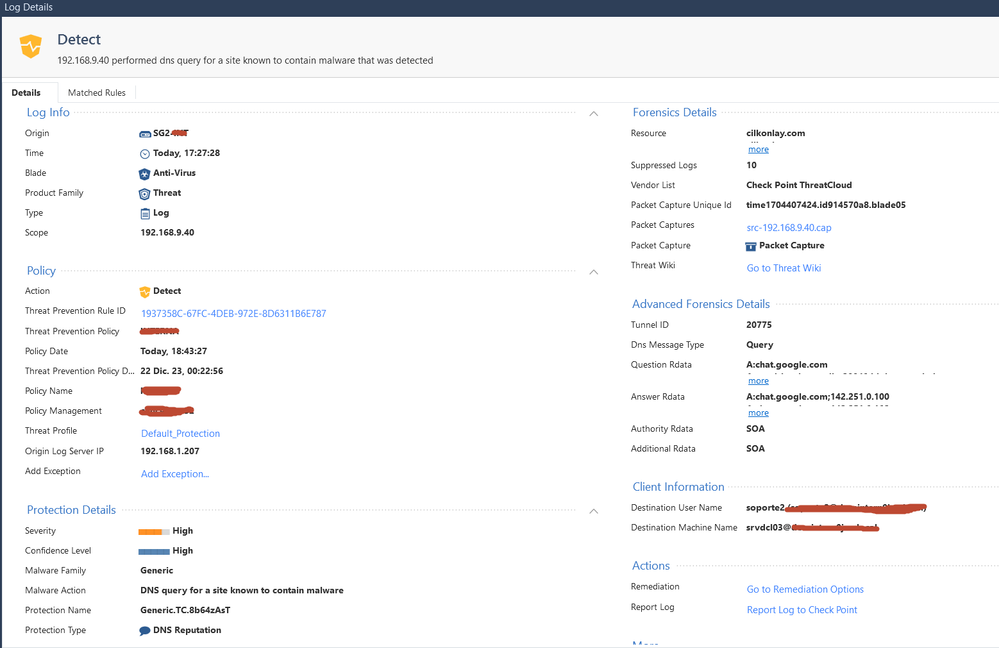
What do you see on the matched rules tab?
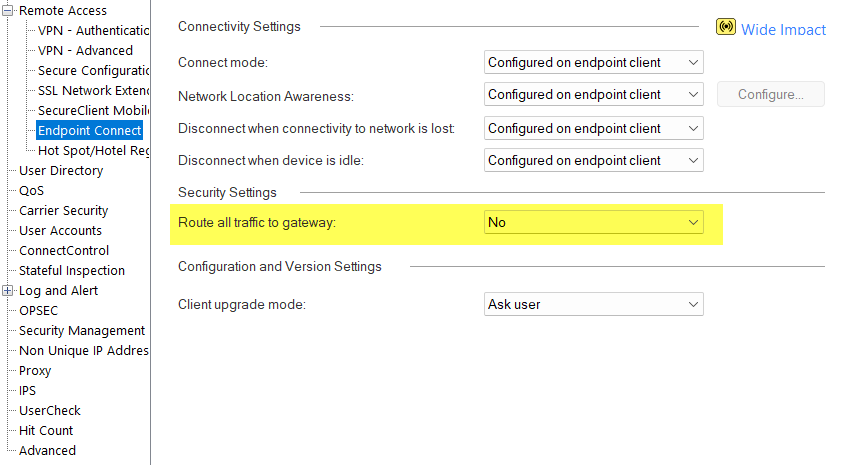
Is the RA VPN configured for hub mode?
Hello,
By "Hub Mode" do you mean the following option?
What do you mean by this option "matched rules tab"?
Could you tell me where you see that, please?
Cheers. 🙂
I think Chris was referring to log entry, which would have matched rules tab.
Andy
Correct, since technically all we see is the DNS traffic in the logs above and without hub mode forcing internet traffic via the VPN the Firewall will not be able to block other traffic unless it is in the encryption domain.
Unless "Route All Traffic to Gateway" (i.e. Hub Mode) is enabled, you cannot prevent a Remote Access client from connecting to an externally hosted site.
This is the kind of thing Harmony Endpoint or Quantum SASE should be able to do.
As @PhoneBoy said, if that option route all gtraffic to gateway is not enabled, then its not really feasable to prevent client to get to external site, since they would technically be using their own ISP for that sort of traffic.
Makes sense?
Best,
Andy
Leaderboard
Epsum factorial non deposit quid pro quo hic escorol.
| User | Count |
|---|---|
| 66 | |
| 40 | |
| 26 | |
| 14 | |
| 13 | |
| 11 | |
| 11 | |
| 10 | |
| 9 | |
| 8 |
Tue 07 Apr 2026 @ 06:00 PM (IDT)
Under the Hood: Check Point WAF and IO River: Multi-CDN Security in ActionWed 08 Apr 2026 @ 10:00 AM (CEST)
The Cloud Architects Series: The Cloud Firewall with near 100% Zero Day prevention - In 7 LanguagesTue 07 Apr 2026 @ 06:00 PM (IDT)
Under the Hood: Check Point WAF and IO River: Multi-CDN Security in ActionWed 08 Apr 2026 @ 10:00 AM (CEST)
The Cloud Architects Series: The Cloud Firewall with near 100% Zero Day prevention - In 7 LanguagesWed 08 Apr 2026 @ 07:00 PM (CST)
ERM al Descubierto: Amenazas Ocultas que Pondrán a Prueba tu Empresa en 2026Tue 14 Apr 2026 @ 03:00 PM (PDT)
Renton, WA: Securing The AI Transformation and Exposure ManagementThu 30 Apr 2026 @ 03:00 PM (PDT)
Hillsboro, OR: Securing The AI Transformation and Exposure ManagementAbout CheckMates
Learn Check Point
Advanced Learning
YOU DESERVE THE BEST SECURITY