I'm using Checkpoint 5100
Firewall (IP 192.168.1.254) is connected to Azure via Route based with IP 10.x.x.x/16 with settings below;
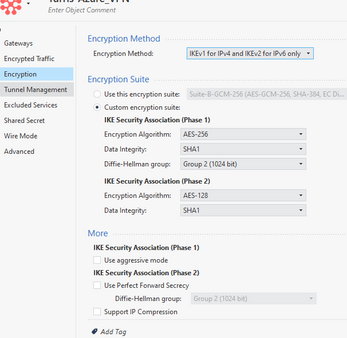
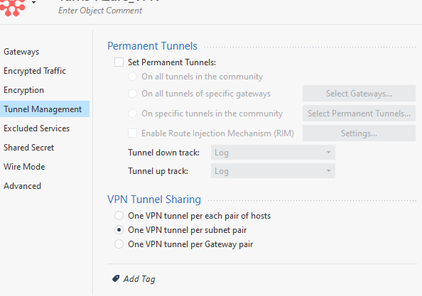
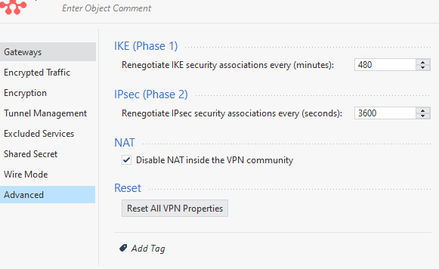
I have 2 Sites using def. Lan IP 192.168.1.0/24 and 192.168.2.0. Both sites are inter-connected via IPVPN/MPLS connection.
I create a network group called "MyLocalNetwork" which includes the following network (192.168.1.0/24, 192.168.2.0/24)
Source: MyLocalNetwork, AzureGW | Destination: MyLocalNetwork, AzureGW | VPN: AzureVPN | Services: Any | Action: Accept | Track: Lag
2 Sites can now access the Azure app via gateway of 1.0 and 2.0 going to Firewall (IP 192.168.1.254). All users of 2 Sites can access the apps via 10.x.x.x/16 just like local connection.
next
I configure the RemoteAccess Community by adding Gateway device to Participating gateway.
I created users and groups that i will add to Participant Users Groups at the VPN RemoteAccess Community.
I'm using Office Mode and use the Manual IP Pool which is the CP_default_Office_Mode_Address_Pool (172.16.10.0/24).
I add the CP_default_Office_Mode_Address_Pool (172.16.10.0/24) to VPN Domain as part of the network.
I created a policy for the remote access.
Source: VPN users, VPN connection | Destination: MyLocalNetwork | VPN: RemoteAccess | Services:Any | Action: Accept | Track: Lag
set-up Check Point Endpoint security VPN Client to other laptop. add the site, and use username and password. connection successful
I can now access the company network while i' m outside. i can ping the 192.168.1.0/24 and 2.0/24 network.
The main issue, i can't access the application on the azure while im using vpn outside the office.
I tried to add the CP_default_Office_Mode_Address_Pool (172.16.10.0/24) and the AzureVPN IP(10.x.x.x/16) as part of MyLocalNetwork but the problems i encountered was the 2 sites are not able to access the Azure network 10.x.x.x/16 . The connection is disconnected.
i check the logs, Drop
172.16.10.1 was block to access 10.x.x.1 | encryption failure : Security warning: received a cleartext packet within an encrypted connection
VPN Feature: IKE
can anyone here will help me to resolved the issue.
appreciate your help.
Thank you.





