- Products
- Learn
- Local User Groups
- Partners
- More

Step Into the Future of
AI-Powered Cyber Security
When the Agents Attack
A Live Look at Agentic Exposure Validation
Bridge the CAASM Gap
with Exposure Management
AI Security Masters E8:
Claude Mythos: New Era in Cyber Security
CheckMates Go:
CheckMates Fest
Hi
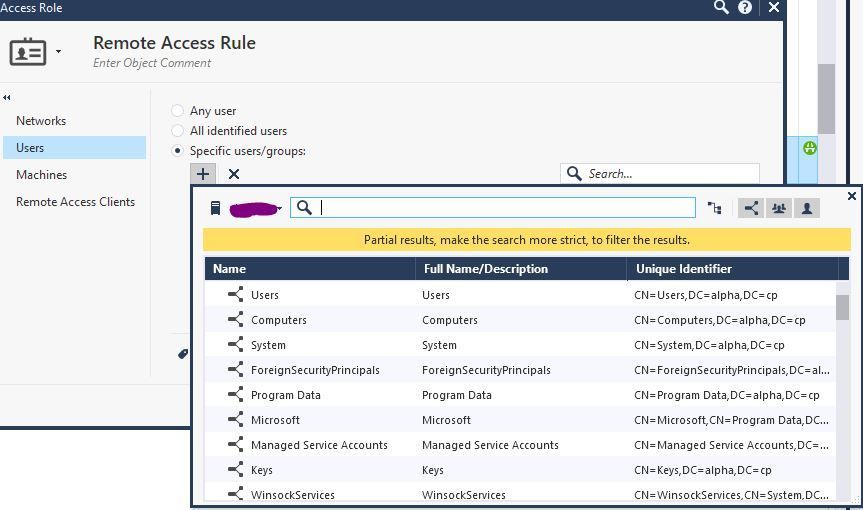
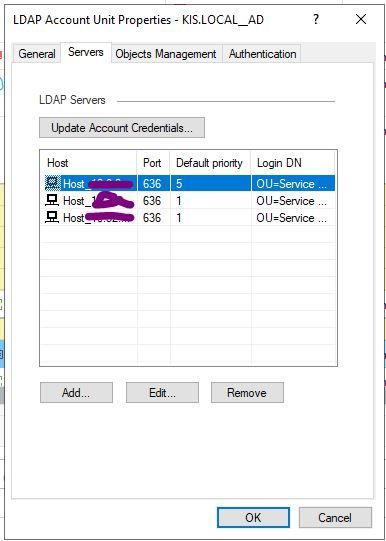
I am using IDC to collect identities from AD, but it works only on port 389:
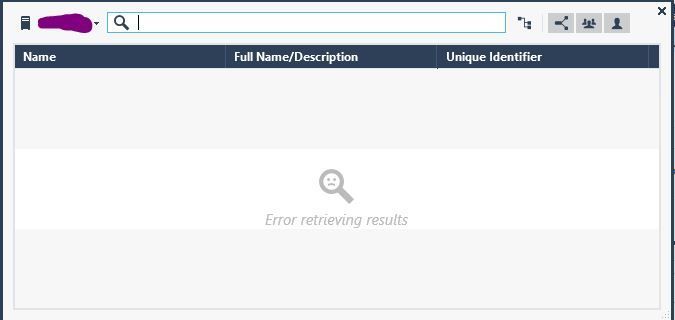
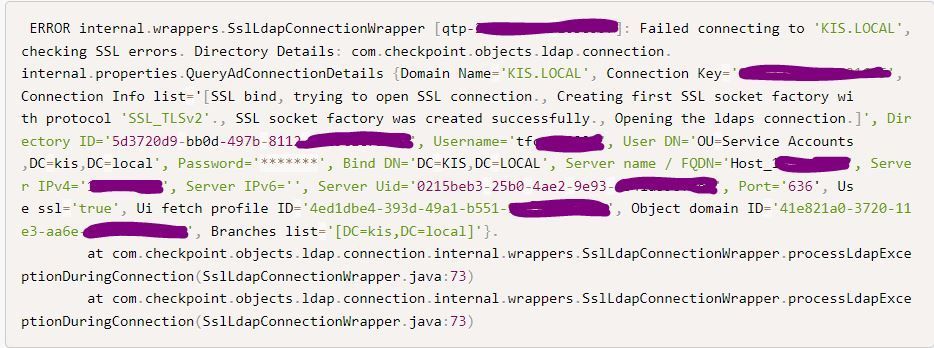
If we try to use port 636 on the LDAP-AU then we get this when trying to show the AD on an Access role:
The certificate on AD servers have a purpose of "Server Authentication" (OID 1.3.6.1.5.5.7.3.1) and Client Authentication, but still get the same result.
any ideas?!
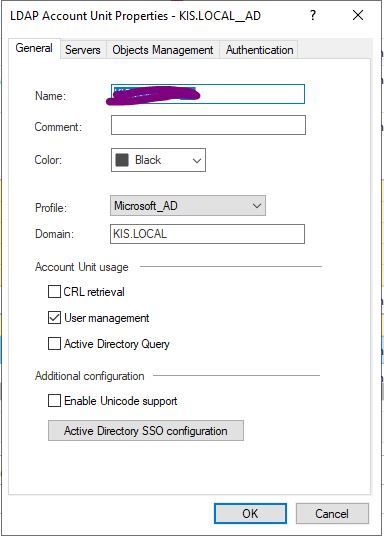
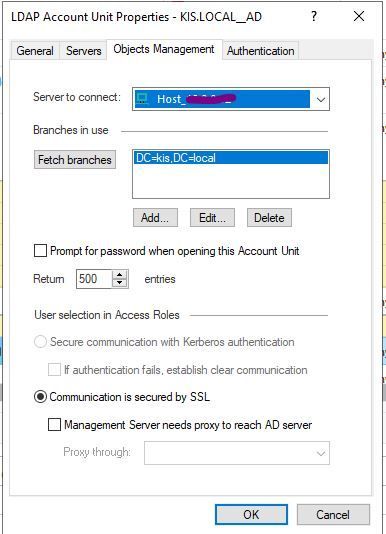
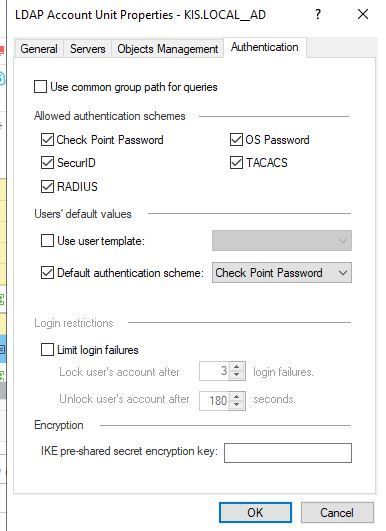
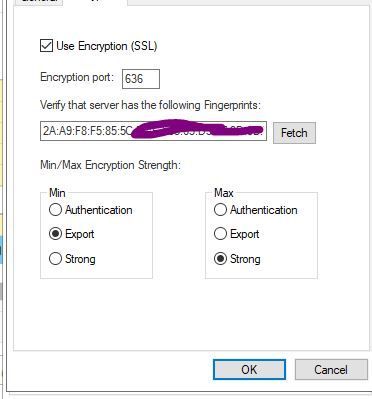
How does your LDAP account unit config looks like? Have you enabled LDAPS there? Able to retreive fingerprints?
We are able to retrieve fingerprints.
Config looks good.
2 things:
Can you fetch branches?
Do you see drops from the machine where you are running Smartconsole? I recall that this search is done from the Smartconsole software itself. Maybe compare the allowed 389 traffic with 636 traffic.
So check traffic from:
Smartcenter itself (fwmgt)
And machine on what the Smartconsole software is placed
The fetching process seems to be working correctly. Once it's finished, I receive a long MD5 hash.
I cannot see any drop between these machines!
As @Lesley asked, can you fetch the branches? Thats super important, mind you would not work in S1C instance, but if its on prem mgmt, 100% has to work.
Best,
Andy
The fetching process seems to be working correctly. Once it's finished, I receive a long MD5 hash
when running this command:
[Expert@fw01:0]# cpopenssl s_client -connect 10.8.0.12:636 2>&1 </dev/null | sed -ne '/-BEGIN CERTIFICATE-/,/-END CERTIFICATE-/p' | cpopenssl x509 -noout -md5 -fingerprint
I get the same MD5 hash that shows on the LDAP-AU
If thats the case, may need some more debugging...I would open TAC case if you have not done so already.
Best,
Andy
If I run this on Wireshark:
ip.addr == 192.168.12.12 and tcp.port == 636
where 192.168.12.12 is AD, Wireshark is running on Windows machine that runs SmartConsole and IDC.
Should that show any packets? Because it does not show anything now!
How and where should I run Wireshark to see if 636 traffic is flowing ?
Not needed anymore has been changed:
https://support.checkpoint.com/results/sk/sk115677
checking the logs $FWDIR/log/cpm.elg
some Error is happening, any ideas
can you check:
https://support.checkpoint.com/results/sk/sk167159
My certificates are signed with sha256RSA!
Leaderboard
Epsum factorial non deposit quid pro quo hic escorol.
| User | Count |
|---|---|
| 28 | |
| 12 | |
| 6 | |
| 5 | |
| 5 | |
| 5 | |
| 4 | |
| 4 | |
| 3 | |
| 3 |
Fri 12 Jun 2026 @ 10:00 AM (CEST)
CheckMates Live Netherlands - Sessie 47: Continuous Threat Exposure ManagementTue 16 Jun 2026 @ 05:00 PM (CEST)
Under the Hood: Check Point SASE | Internet Access Optimization & Performance TuningThu 18 Jun 2026 @ 10:00 AM (CEST)
The Cloud Architects Series: Check Point WAF - The Next Generation of AI powered protectionFri 12 Jun 2026 @ 10:00 AM (CEST)
CheckMates Live Netherlands - Sessie 47: Continuous Threat Exposure ManagementTue 16 Jun 2026 @ 05:00 PM (CEST)
Under the Hood: Check Point SASE | Internet Access Optimization & Performance TuningThu 18 Jun 2026 @ 10:00 AM (CEST)
The Cloud Architects Series: Check Point WAF - The Next Generation of AI powered protectionTue 23 Jun 2026 @ 05:00 PM (CEST)
Under the Hood: Check Point Cloud Firewall | Securing all of your clouds: Art of the possibleAbout CheckMates
Learn Check Point
Advanced Learning
YOU DESERVE THE BEST SECURITY