- Products
- Learn
- Local User Groups
- Partners
- More

On-Premise SD-WAN Management
Register HereWhat's New in R82.10?
Watch Here AI Security Masters E8:
Claude Mythos: New Era in Cyber Security
CheckMates Go:
The Moment Before
Hi Mates,
Quick question if anyone else has this issue.
When I try to paste screenshots into a post i get the following error. Tried this via Firefox (Linux) and Chrome (Windows RDP Session)
"Image upload failed. Try uploading a different image or from some other source"
This bugs me since ever and makes it quite uncomfortable to use the board. 😢
Also after I tried copy&paste a picture and finish the post I get the message:
"Your post has been changed because invalid HTML was found in the message body. The invalid HTML has been removed. Please review the message and submit the message when you are satisfied."
Then I click "post" again and it will be published successfully.
KR
David
This is not a workaround, this is how it is designed. We are not owners of the platform, but I will make sure an RFE is passed to them.
Actually, using the above method plus a couple extra clicks, you actually CAN do a copy/paste of a screenshot into a post.
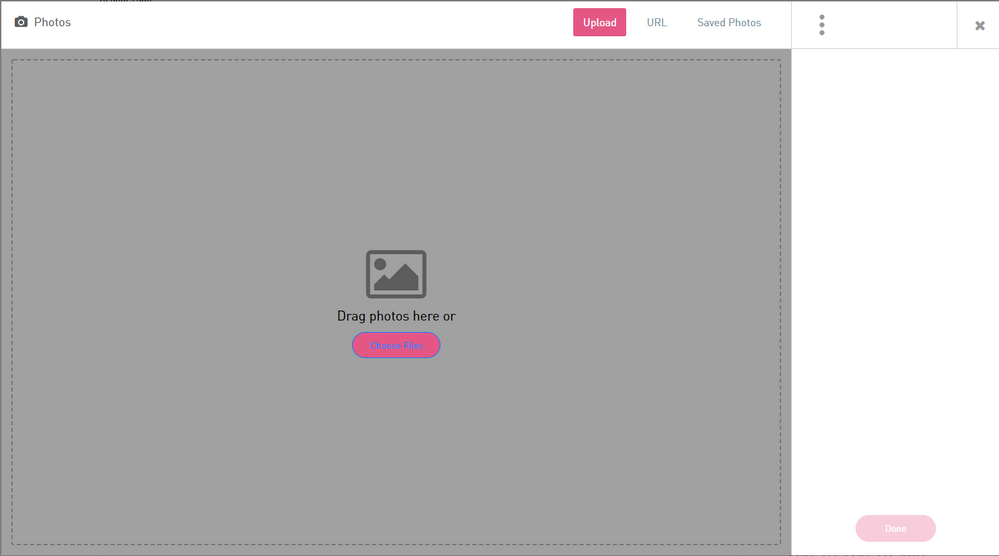
When you click on the photo icon, you get the following screen:
If you click on the right hand part (somewhere in the white), click on somewhere in the grey, then paste, it will work.
I agree this is not optimal, but as @_Val_ said, it is not something we can fix.
It's a known RFE with the vendor.
Not sure if you are doing it correctly. In fact, the system does not support direct copy/paste for images here.
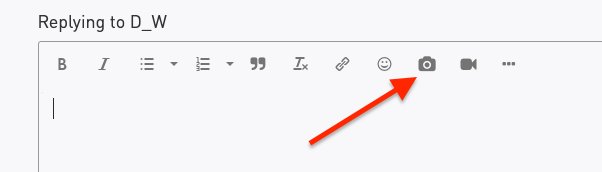
Instead, you need to use the photo icon to insert a file or a web picture. The process is: save your screen as an image file, click on the icon drag your image file to the interface window.
If you are using that and still having issues, please record a video with the screen capture and send it to [email protected], so we could review and raise a support ticket with the platform providers, if something on their side.
Thx for the quick reply!
The procedure via the photo icon is my actual "workaround". So it's not planned to integrate/allow copy/paste in the near future? I'm sure this platform is able to support this.
This is not a workaround, this is how it is designed. We are not owners of the platform, but I will make sure an RFE is passed to them.
Thank you! I very much appreciate your support 🙂
no problem
Actually, using the above method plus a couple extra clicks, you actually CAN do a copy/paste of a screenshot into a post.
When you click on the photo icon, you get the following screen:
If you click on the right hand part (somewhere in the white), click on somewhere in the grey, then paste, it will work.
I agree this is not optimal, but as @_Val_ said, it is not something we can fix.
It's a known RFE with the vendor.
Leaderboard
Epsum factorial non deposit quid pro quo hic escorol.
| User | Count |
|---|---|
| 12 | |
| 5 | |
| 4 | |
| 4 | |
| 3 | |
| 2 | |
| 2 | |
| 1 | |
| 1 | |
| 1 |
Tue 14 Jul 2026 @ 10:00 AM (PDT)
AI Security Masters E11: READY OR NOT: Securing the AI Enterprise 3/5 - AI Workforce SecurityThu 30 Jul 2026 @ 10:00 AM (PDT)
AI Security Masters E12: READY OR NOT: Securing the AI Enterprise 4/5 - AI GatewayThu 20 Aug 2026 @ 10:00 AM (PDT)
AI Security Masters E13: READY OR NOT: Securing the AI Ent 5/5 - AI Research & Threat LandscapeTue 14 Jul 2026 @ 10:00 AM (PDT)
AI Security Masters E11: READY OR NOT: Securing the AI Enterprise 3/5 - AI Workforce SecurityThu 30 Jul 2026 @ 10:00 AM (PDT)
AI Security Masters E12: READY OR NOT: Securing the AI Enterprise 4/5 - AI GatewayThu 20 Aug 2026 @ 10:00 AM (PDT)
AI Security Masters E13: READY OR NOT: Securing the AI Ent 5/5 - AI Research & Threat LandscapeAbout CheckMates
Learn Check Point
Advanced Learning
YOU DESERVE THE BEST SECURITY